Access Site Groups
Site Group groups sites that can be added to the Management Cluster.
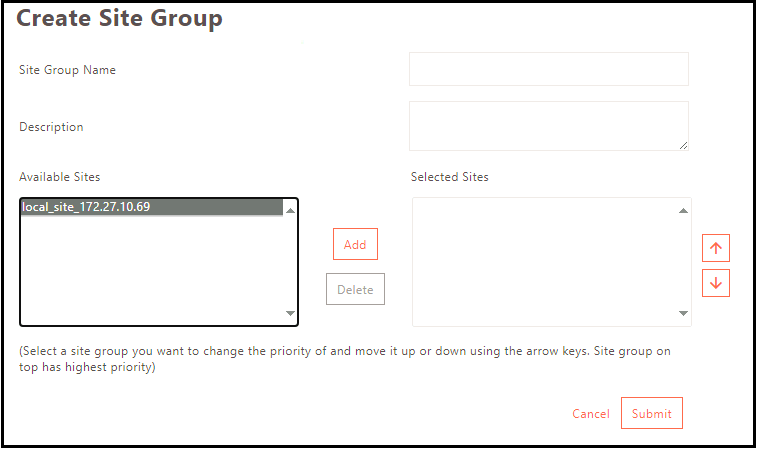
Create Site Group
- Log on to the Management console.
- Navigate to Sites > Access Site Groups and click Add.
- Specify the Site Group Name.
- Provide a group description if required.
- From the Available Sites list, select the site you want to add as a group member, then click Add.
- Once all the sites are added to the group, click Submit to save the site group.
Modify Site Groups Configuration
Click Modify on the Sites > Site Groups page, to edit the selected Site Group configuration. Click Submit to confirm the changes.
Delete Site Groups Configuration
Click Delete on the Sites > Site Groups page, to remove the selected Site Group configuration. Click OK to confirm the action.