Notifications
Configure notifications to generate audit logs and send email notifications when changes are made to Host Scan policies. Notification emails include a CSV attachment listing the MAC addresses that were added to or removed from the affected sub-policy. This enhancement currently applies to MAC Address Host Scan policies.
Key Capabilities
-
Provides administrators with immediate visibility into changes to host scan policies.
-
Creates a documented, auditable trail of policy modifications to support compliance and change management processes.
How to Configure Notifications
-
Log in to the HySecure management console as Security Officer/Administrator.
-
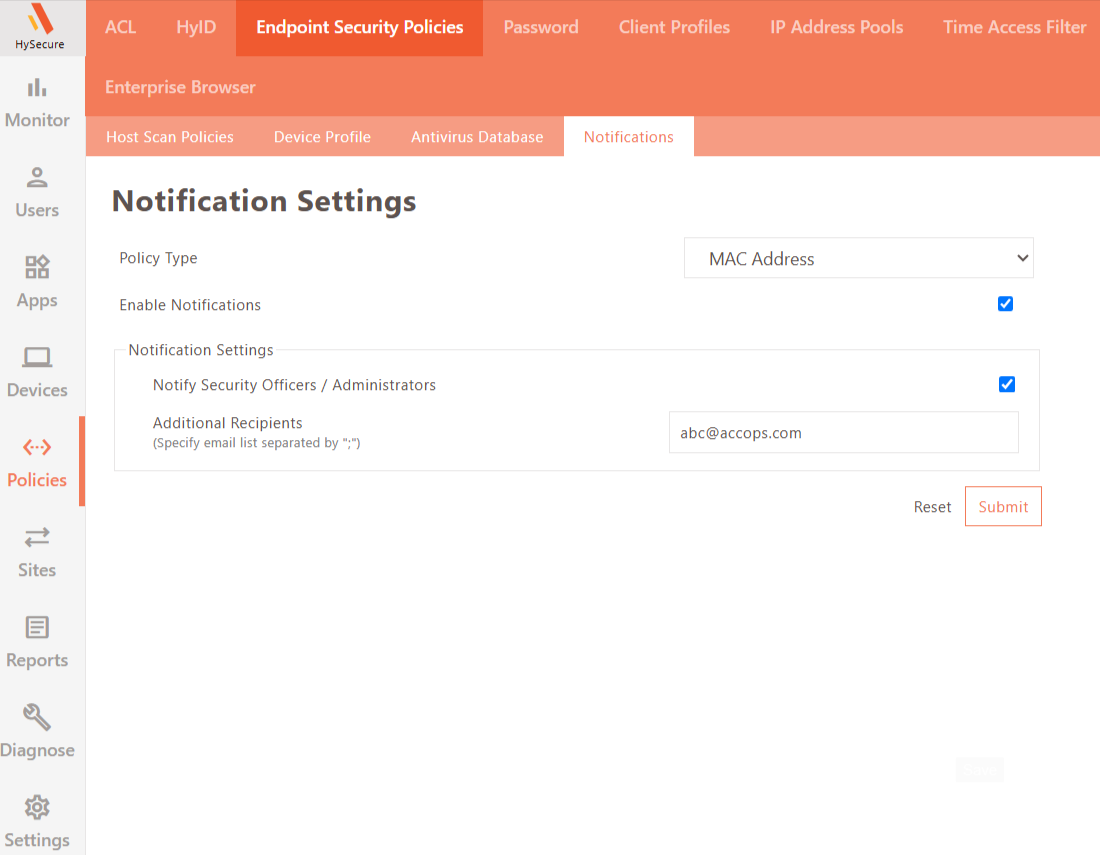
Navigate to Policies > Endpoint Security Policies > Notifications.
-
Set the Policy Type to MAC Address, then select Enable Notifications.
-
Select Notify Security Officer / Administrators to send notifications to all Security Officers and Administrators.
-
To notify additional recipients, enter their email addresses in the Additional Recipients field, separated by semicolons (
;). -
Click Submit to save the settings, or Reset to discard changes.