Reverse Proxy Template Management
Reverse Proxy templates are preconfigured rule sets designed to facilitate the creation of reverse proxy–based web applications. Administrators can utilize these templates to support both URL rewriting and DNS-based HTTP/HTTPS configurations.
An administrator can save the reverse proxy rules created for any application as a template, allowing easy reuse when configuring other web applications that require similar settings. This helps to avoid the redundancy of rewriting the same rules repeatedly.
Prerequisites
- An existing reverse-proxy-based HTTP/HTTPS application must be present on the HySecure gateway.
How to create a Template:
-
Log in to the HySecure Management Console as a Security Officer or Administrator.
-
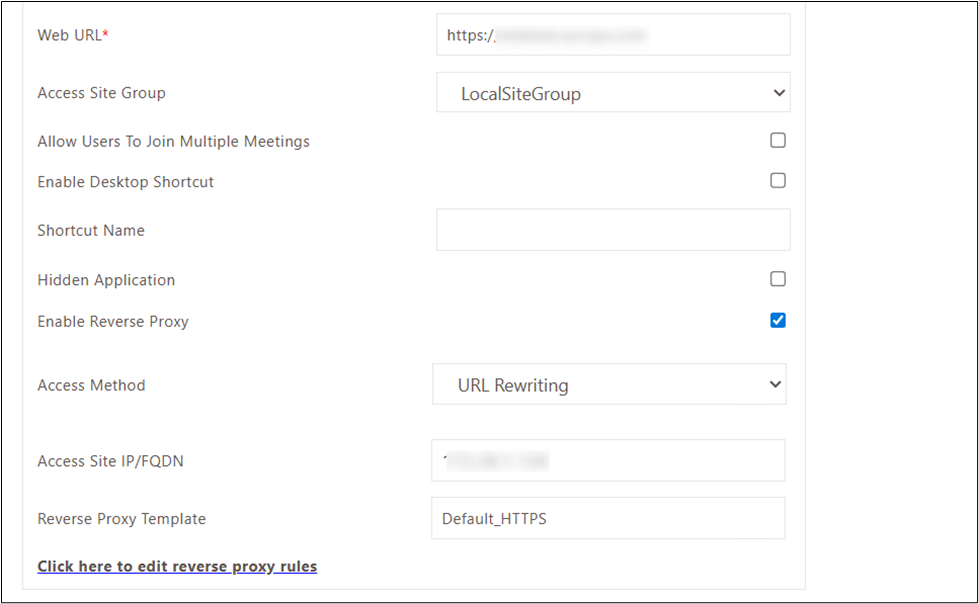
Navigate to Apps, modify the desired existing reverse proxy-based HTTP/HTTPS application whose reverse proxy rules are to be saved as a template.
-
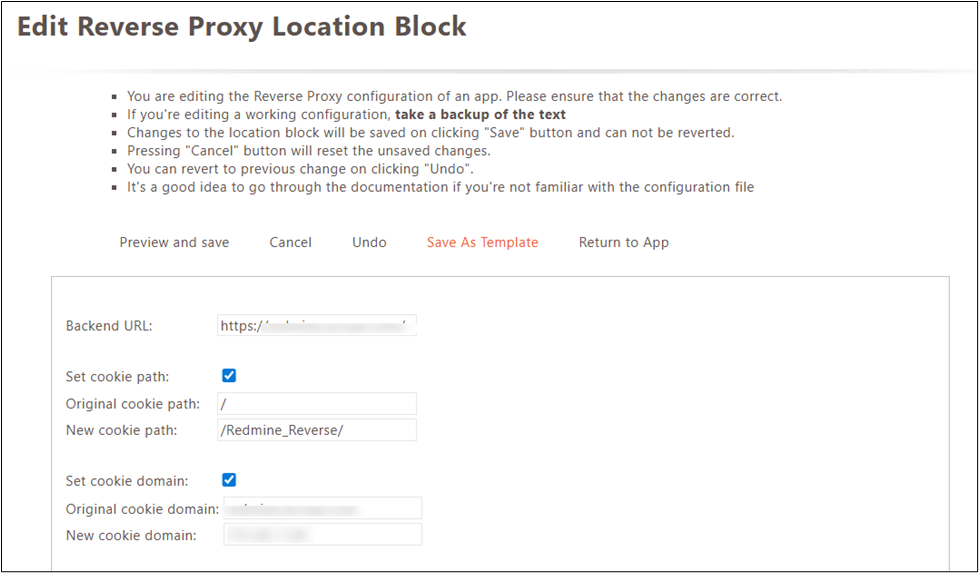
Edit the reverse proxy rules in the application settings and save them as a template for reuse in other applications.
-
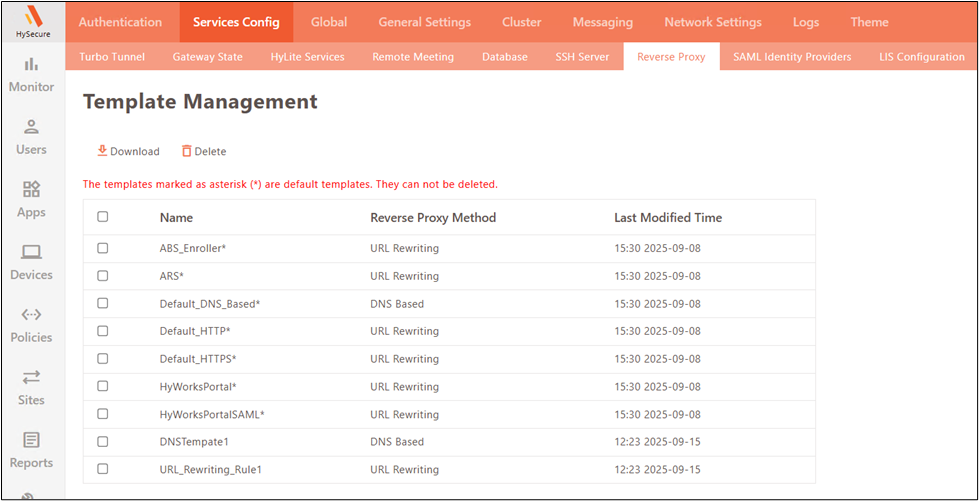
The created template will be displayed alongside the default templates in Settings > Service Config > Reverse Proxy.
How to Use a Template
-
Navigate to Apps, to Apps, click add to create an HTTP/HTTPS application based on reverse proxy, and check the box for Enable Reverse Proxy.
-
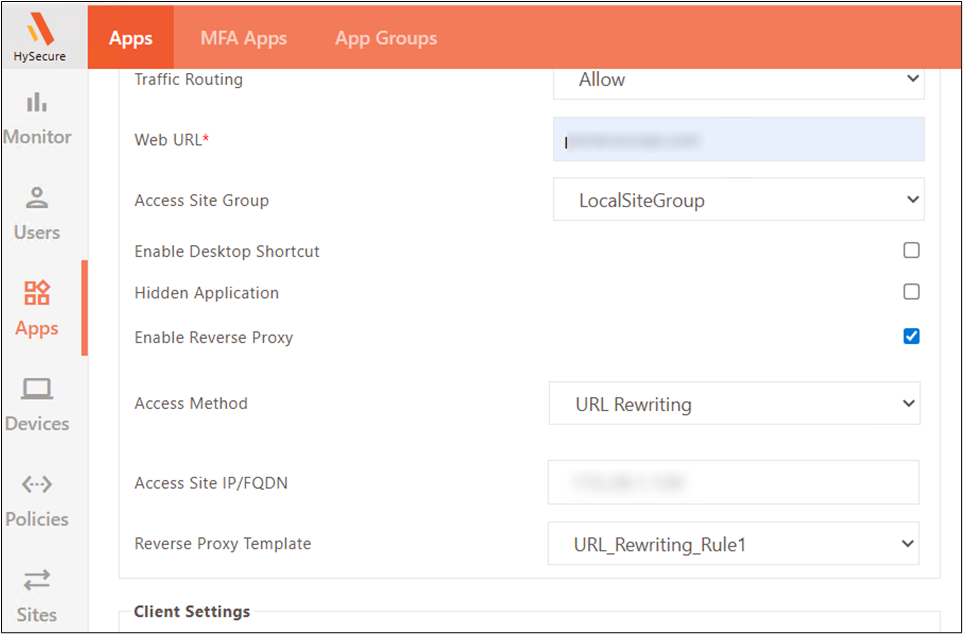
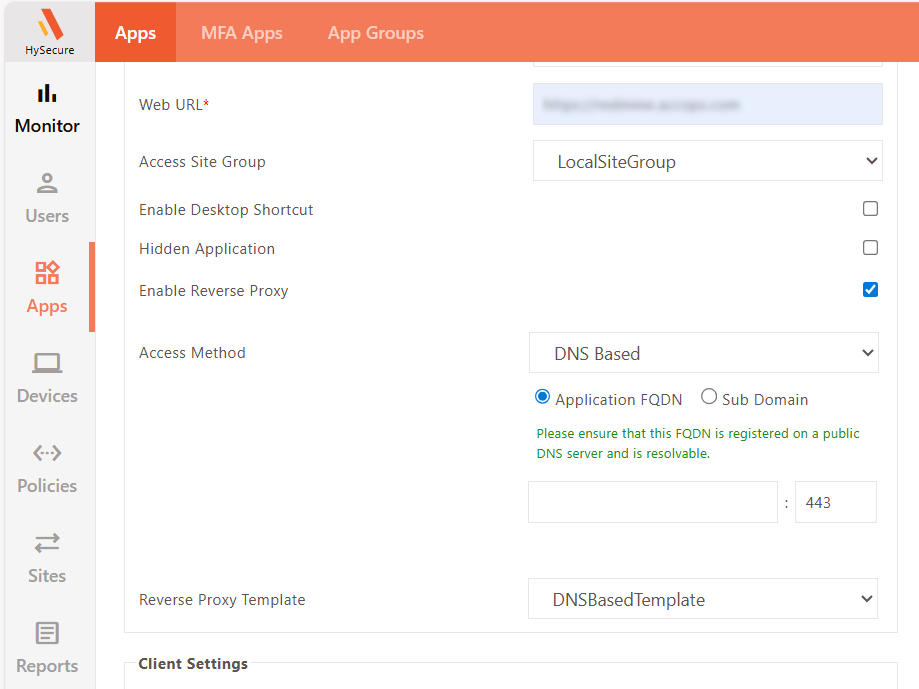
Select the desired Access Method (URL Rewriting/ DNS Based) and choose either the custom or default Reverse Proxy Template from the dropdown, as illustrated in the image below.