Password Policy Settings
A general password policy can be set for all Native Users connecting to the Gateway. The policy can be set by performing the following steps:
-
Log on to the Management Console.
-
Navigate to Policies > Password.
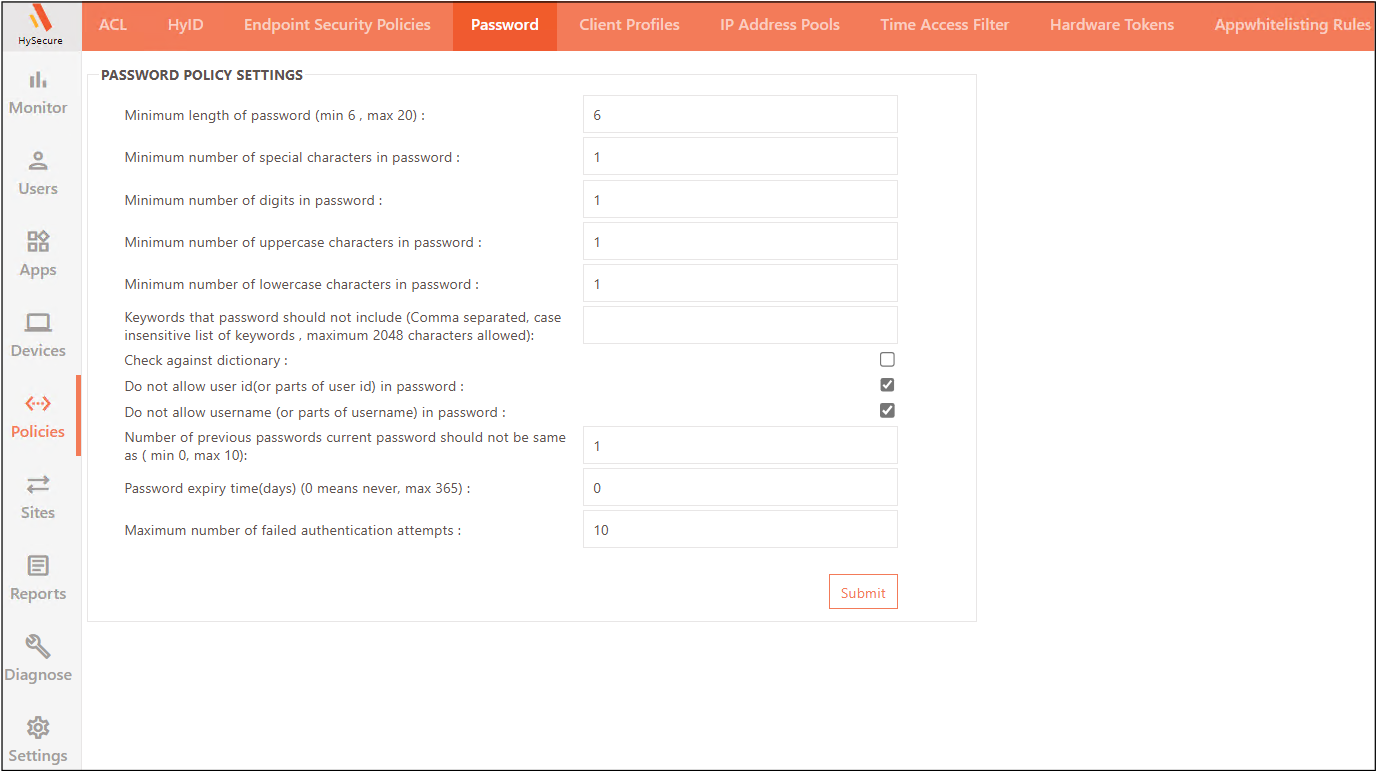
Enter the password policy details as indicated in the table below:
| Field | Description |
|---|---|
| Minimum length of password (min 6, max 20) | Specify the allowed password length between 6 and 20 characters. |
| Minimum number of special characters in password | Specify the minimum number of special characters required in the password. |
| Minimum number of digits in password | Specify the minimum number of numerical digits required in the password. |
| Minimum number of uppercase characters in password | Specify the minimum number of uppercase letters required in the password. |
| Minimum number of lowercase characters in password | Specify the minimum number of lowercase letters required in the password. |
| Keywords that password should not include (Comma separated, case insensitive list of keywords , maximum 2048 characters allowed) | Specify the list of characters separated by a comma, that are not allowed in the password. |
| Check against dictionary | Check this option to check the strength of the password against the dictionary. Common English words will not be allowed as passwords, if this option is checked. |
| Do not allow user id (or parts of user id) in password | Mark the checkbox to reject the password that contains more than 2 characters from the User ID. e.g., if the User ID is Matthew, then the password such as Mat@123 or Matthew will not be allowed. |
| Do not allow username (or parts of username) in password | Mark the checkbox to reject passwords that contain more than 2 characters from the Username. e.g., if the User Name is Matthew, then the password such as Mat@123, or Matthew will not be allowed. |
| Number of previous passwords current password should not be same as ( min 0, max 10) | Specify the number of previous passwords to check when setting a new password. It is recommended that the password not be the same as any previous passwords. If the new Password matches the previously set one, it will be rejected. |
| Password expiry time(days) (0 means never, max 365) | Specify the duration after which the user password will expire. |
| Maximum number of failed authentication attempts | Specify the maximum number of failed login attempts allowed before locking the user account. |
Click Submit to confirm the settings.