Accops HyWorks Deployment Options
Accops HyWorks v3.4 can deliver applications, shared hosted desktops, or dedicated desktops in:
-
LAN - Users can directly reach the control layer and data layer
-
WAN - recommended when users have to access resources over the internet
Deployment in LAN Environment
Deployment of HyWorks in LAN, MPLS WAN, or P2P WAN requires:
-
The HyWorks Controller must be installed and reachable on the LAN.
-
Firewalls and other third-party software must not block access to the HyWorks Controller.
-
HyDesk or HyWorks clients must be installed and running on the same network, and must be able to connect to the HyWorks Controller using the configured host name or IP address.
-
Dedicated Desktops:
-
The HyWorks Controller, session providers (such as VMware vCenter Server or Microsoft SCVMM Server), and authentication servers (such as Microsoft Active Directory or LDAP) must be on the same network and reachable from each other.
-
DVMs running on the session providers must be reachable from HyDesk or HyWorks client devices.
-
-
Shared Hosted Desktops:
-
The HyWorks Session Host server must be installed on a Microsoft RDS server and configured in HyWorks.
-
The HyWorks Session Host server must be directly accessible from the HyWorks or HyDesk client.
-
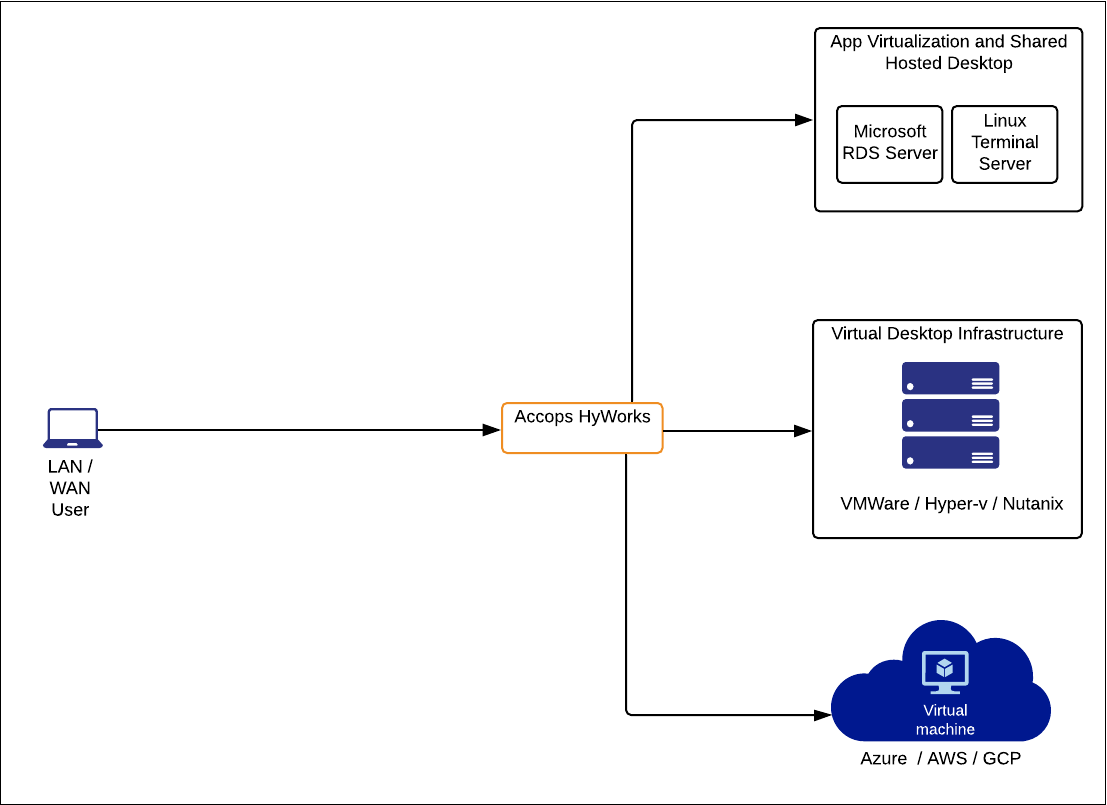
The diagram below shows the placement of Accops HyWorks. The client device must be able to communicate with the Accops HyWorks Controller over port 38866, and with the virtual machine over TCP port 3389.
Deployment in WAN Environment
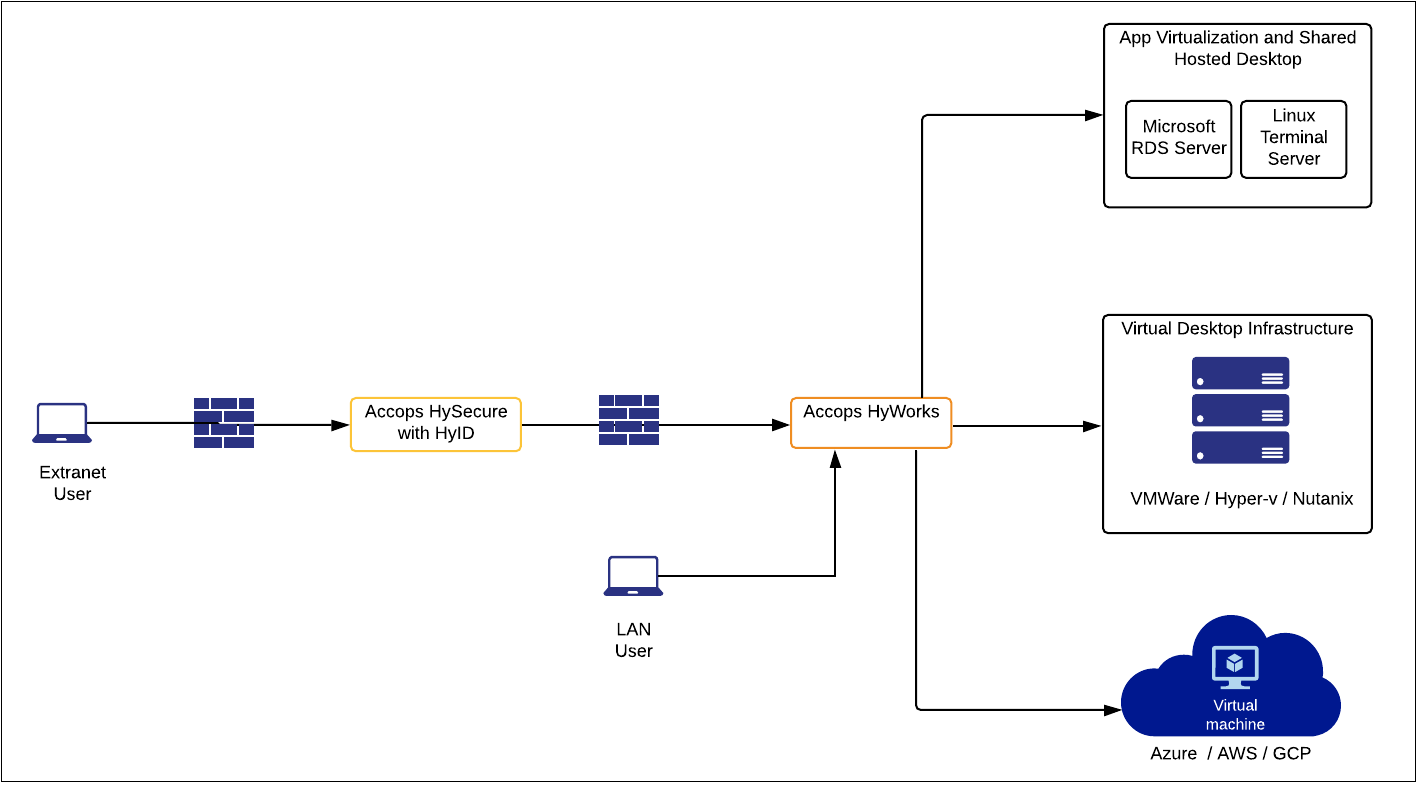
To access applications, shared hosted desktops, or dedicated desktops, you need to connect to the Accops HyWorks Controller, Session Host, and DVMs. This connection is not possible over the internet (WAN) or if users are outside your local network. To enable access in these cases, integrate HyWorks with Accops HySecure. Using your own VPN may limit certain security features and single sign-on options provided by HySecure.
After integrating HyWorks with HySecure:
-
HySecure serves as the gateway, allowing users to connect to VMs.
-
Devices on the internet can access the HySecure Gateway via its public IP address.
-
The HySecure Gateway is configured with:
-
HyWorks Controller (Port: 38866) for HyWorks login and desktop pool or virtual apps access.
-
HyWorks Application Servers (Port: 3389) for application and shared desktop access.
-
Refer to the deployment diagram below for the integration of HySecure and HyWorks.