HyWorks Scheduler and Action Processor
Accops HyWorks Scheduler and Action Processor are used for on-demand provisioning and automatic power management of session host servers. This section provides detailed steps for installing the scheduler and action processor.
Scheduler Installation
The scheduler component manages schedules (Create/update/delete) in accordance with the capacity plan’s creation, modification, or deletion. It also sends the input to the queue, along with details of the capacity plan and the session team, which the Action processor will pick up to process as required. The scheduler component is installed on the HyWorks controller server itself.
Prerequisites:
The HyWorks Scheduler can be installed on the Controller server that fulfills the prerequisites mentioned in the requirements section.
Installation:
To install the scheduler, follow the steps given below:
-
Once all the prerequisites are installed, copy the Scheduler setup to the Controller server.
-
Run setup with the user having local administrator privileges on the server.
-
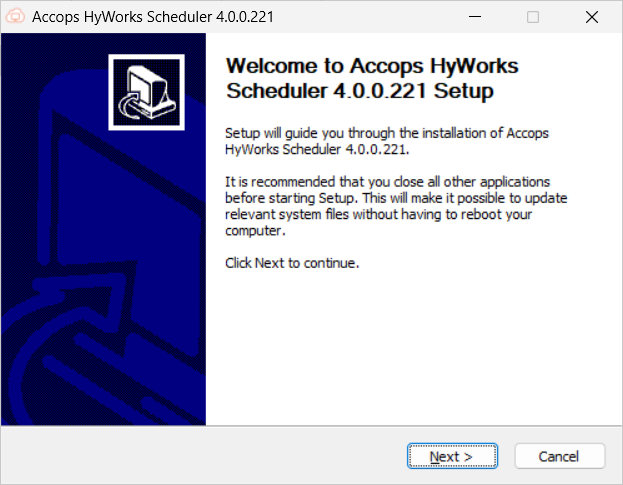
Click Next on the Welcome screen.
-
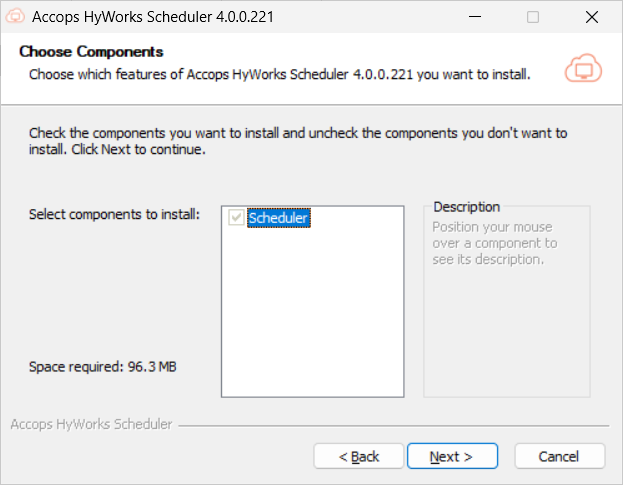
On the Choose Components screen, the Scheduler will be selected by default. Click Next to proceed.
-
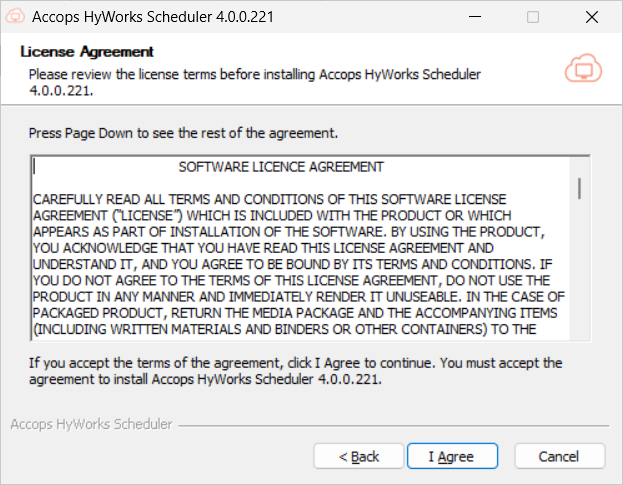
On the License Agreement screen, click I Agree to proceed.
-
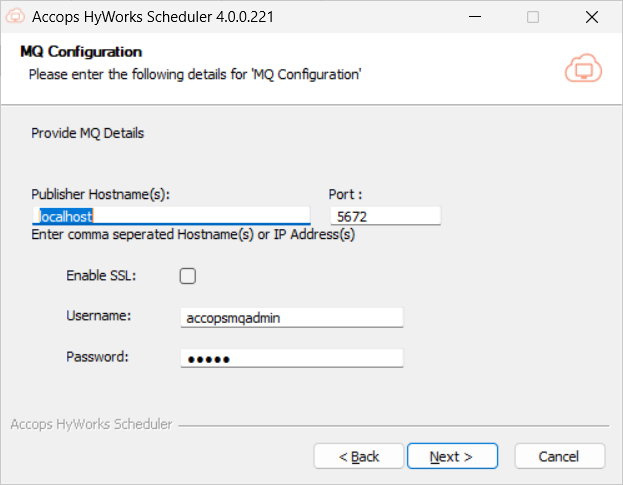
On the MQ Configuration screen:
-
Enter the IP address of the host where RabbitMQ is installed for Publisher Hostname(s). Enter the Port, Username, Password, and check the Enable SSL box.
-
Click Install to proceed.
Important
The Enable SSL requires RabbitMQ to be configured for SSL communication. Check this section for detailed instructions on enabling SSL.
-
-
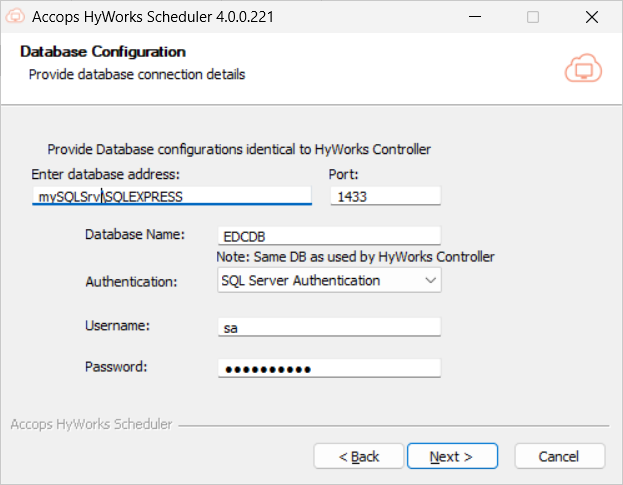
During the installation, the scheduler will require controller database details.
-
The authentication mechanism and the user should have full rights to the controller database. For simplicity, database details can be provided in a format similar to that used to configure the HyWorks Controller.
-
Database configuration is mandatory to proceed and can not be canceled or closed.
-
Database Server Address
-
Static port (default: 1433)
-
Authentication mechanism (Windows/ SQL Server)
- For SQL Server Authentication - Username/ Password.
-
-
Click Test Connection to check database reachability.
-
Click Next to proceed.
-
-
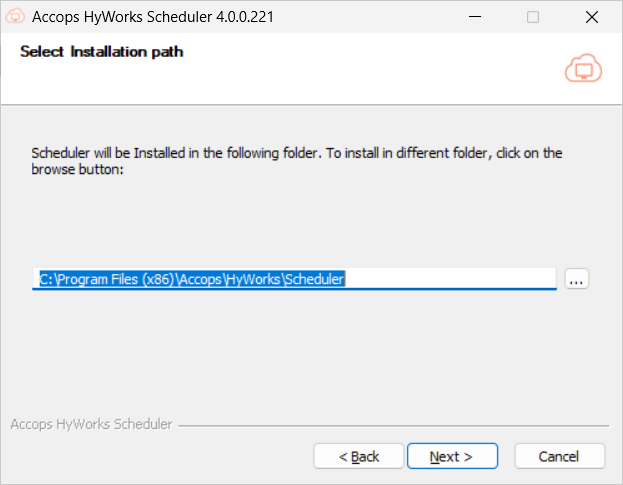
Choose the installation location:
-
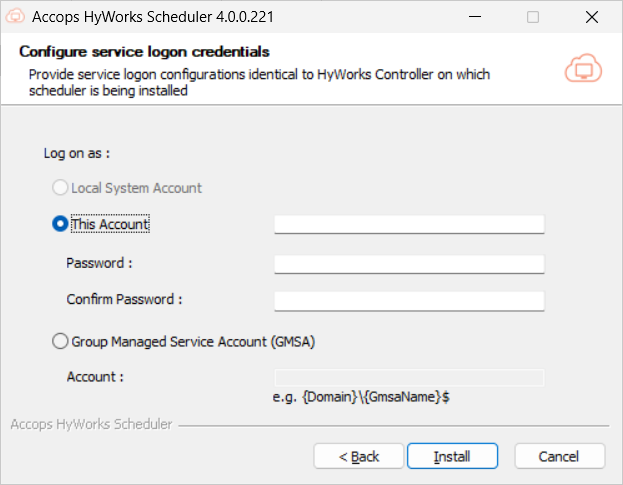
Choose the service logon credentials. This is an important configuration, as the Scheduler also uses the Controller database; thus, configurations should be done as per the deployment. Options available are:
-
Local Service Account: The Scheduler service will run under a local service account, and the database should be accessible via SQL authentication (as configured on the Controller).
-
This Account: Scheduler service will run with the provided account details. Normally used when the Controller is also configured to run with a service account having access to the database.
-
GMSA (Group Managed Service Account): If deployment is to run with a Group Managed Service Account, this option can be used. The provided account must be configured correctly. Detailed information can be found in the GMSA Configuration document.
-
-
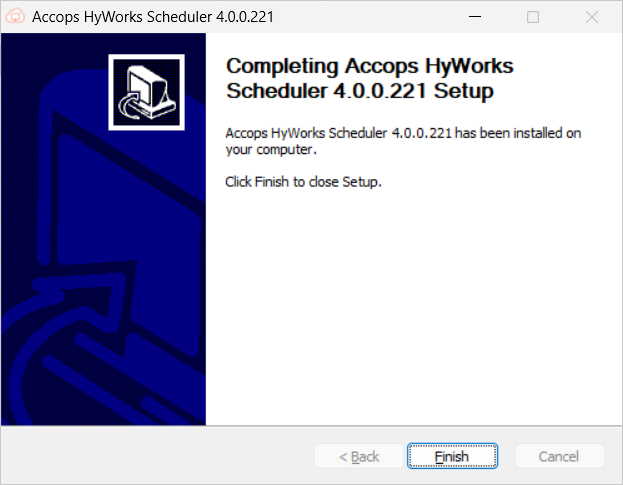
The installation and configuration will be complete. Click Finish to close the scheduler installer wizard.
-
Run the ConfigureRabbitMQ script at the end to configure RabbitMQ, then follow its steps.
Action Processor Installation
Action Processor is the brain of capacity planning; it takes inputs from the controller, decides the current capacity, and then takes actions accordingly.
It processes the following two types of messages pushed by the scheduler:
-
Plan Implementation: Simply save the capacity recommendations in the controller.
-
Team Scale: Triggering power-on, power-off, cloning jobs as per schedule or scaling requirements.
Prerequisites:
The prerequisites for the Action Processor module are the same as the HyWorks Scheduler. The HyWorks Scheduler can be installed on the Controller server that fulfills the prerequisites mentioned in the requirements section.
Installation:
Follow the steps provided below to install the Action Processor:
-
Once all the above prerequisites are installed, copy the Action Processor setup to the server.
-
Run setup with the user having local administrator privileges on the server.
-
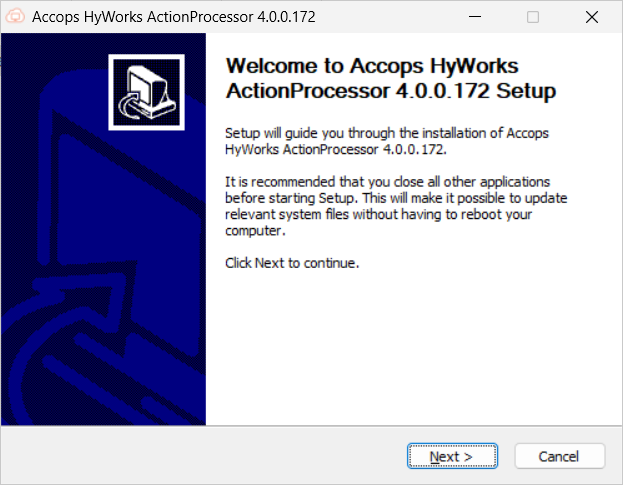
Click Next on the Welcome screen.
-
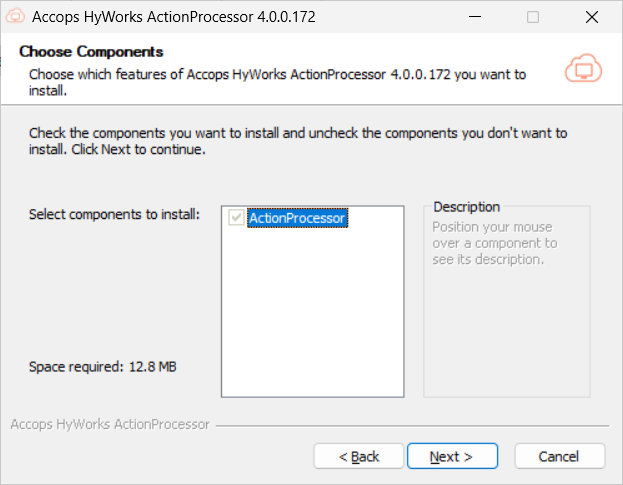
On the Choose Components screen:
-
Action Processor is selected by default.
-
Click Next to proceed.
-
-
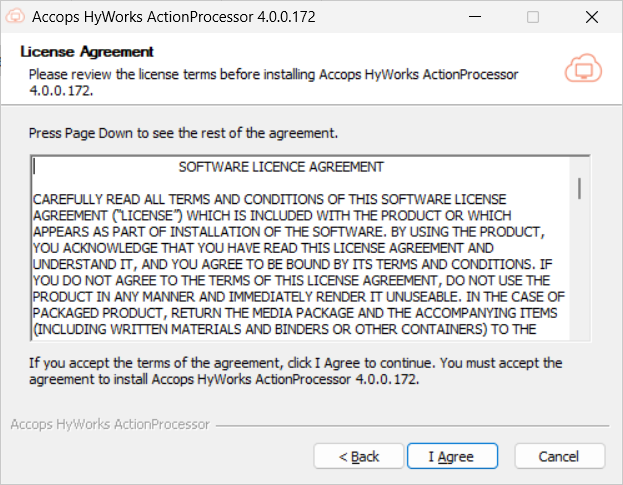
On the License Agreement screen, click I Agree to proceed.
-
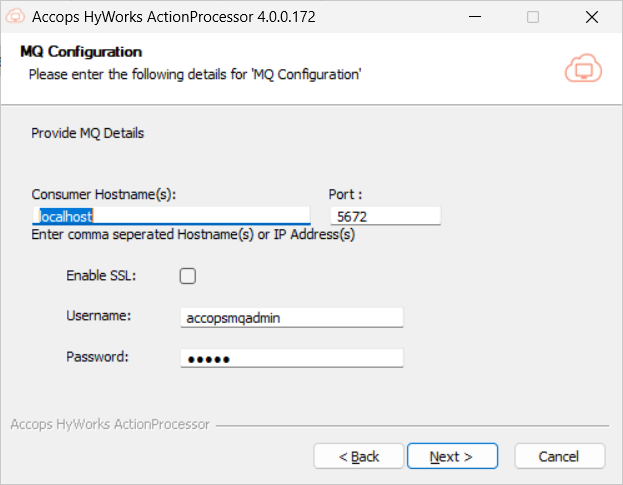
On the MQ Configuration screen.
-
Enter the IP address of the host on which RabbitMQ is installed as the Consumer Hostname(s). The Port, Username, Password, and check box to Enable SSL.
-
Click Next to proceed.
Important
To Enable SSL, RabbitMQ must be configured for SSL communication. Check this section for detailed instructions on enabling SSL.
-
-
Choose the path for the installation:
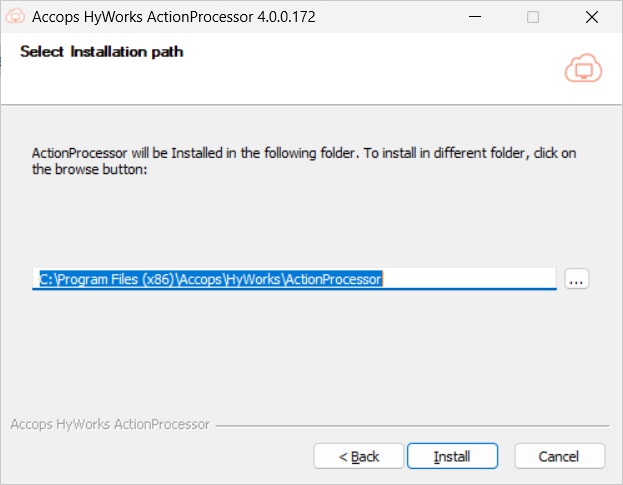
-
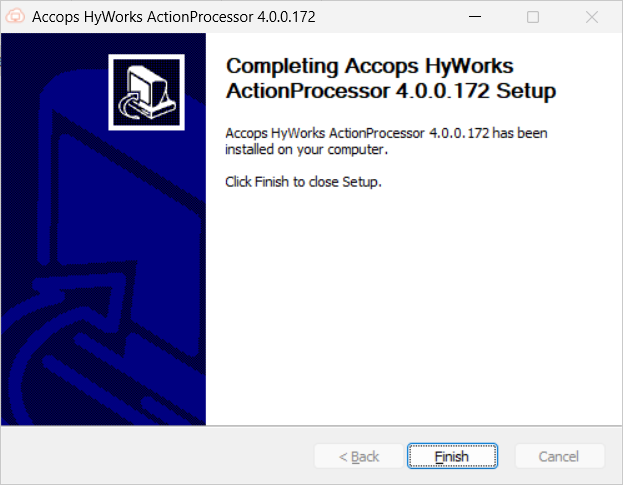
Once installation is complete, click Finish to close the Action processor installation wizard.
-
Run the ConfigureRabbitMQ script at the end to configure RabbitMQ, then follow the steps in the script.
Installation and Configuration in Controller Cluster
If HyWorks Controllers are installed in cluster mode (2 or more controllers are configured for high availability), then:
- The Scheduler and Action Processor should be installed on both management nodes, with the same configurations.
Important Configurations
Enable the Controller to manage the scheduler service.
Once installed, the following configurations can be done to enable the Controller to manage the scheduler service:
-
Log in to the management console with a user who has super-admin privileges.
-
Navigate to Host management > System > Advance config.
-
Apply the filter Capacity Plan to tags.
-
Set the Manage Scheduler Service setting to True and click Update to apply the changes.
-
If this setting is true, the Scheduler service will run only on the controller's primary node. On the secondary HyWorks controller, the service will be stopped.
-
If this setting is false, the HyWorks Controller will not manage it and will start and stop with the system.
-
Other Advanced Options
The following advanced operations are available:
Navigate to the HyWorks management console > Settings > General > Advanced.
-
Capacity planning advanced option: If the value is set to true, the advanced option for capacity planning will be visible in the management console, e.g., Run schedule now. The default value is set as False.
-
Show schedule frequency interval: When set to true, the Administrator will have the option to configure a schedule frequency interval for the pool, team, and capacity plan add or edit wizard. The default value is set as False.
-
Scheduler service URL: Endpoint URL of the Scheduler service with port. For reliable communication with the controller and Scheduler. Note that this setting is now locked from further edits. The default value is set as http://localhost:38890.
High-availability and Failover
Scheduler and Action Processor High-availability
Important
-
Scheduler and Action Processor are installed only on HyWorks Controller Management Nodes.
-
The Scheduler and Action Processor services are managed by the HyWorks Controller.
-
The Scheduler and Action Processor services are allowed to run only on the Primary HyWorks Controller.
The high-availability of the scheduler and action processor is achieved as described below:
-
Initially, the Scheduler and Action Processor will be installed and configured on both of the management nodes.
-
Services will be stopped on the secondary HyWorks Controller and work on the primary HyWorks Controller.
-
Once the primary HyWorks Controller is stopped or enters an unreachable state, the secondary HyWorks Controller takes over and becomes the primary.
-
It will switch on the local Scheduler and Action Processor.
-
The new secondary HyWorks Controller will stop the local Scheduler and Action Processor.
-
-
And hence, the Scheduler and Action Processor are running with the Primary HyWorks Controller.
RabbitMQ High-availability
As the Scheduler and Action Processor rely on RabbitMQ to function correctly, it is important to ensure the high availability of RabbitMQ servers. High-availability of RabbitMQ servers can be achieved in two ways:
-
Without External Load Balancers
-
With External Load Balancer
In this section, both of these mechanisms and the functioning of the Scheduler and Action Processor will be discussed.
Important
-
HyWorks has the concept of consumers and publishers. Modules that send data to the queues are called publishers, and modules that fetch data from the queues are called consumers. For example:
-
Action Processor service is a consumer that consumes the details published by Scheduler service.
-
Consumers should be provided with both of the message queue server host addresses during installation or configuration.
-
Publisher modules should be configured with a load balancer (if deployed), if load balancer is not there publisher components should be configured with both of the message queue server host addresses during installation or configurations.
-
-
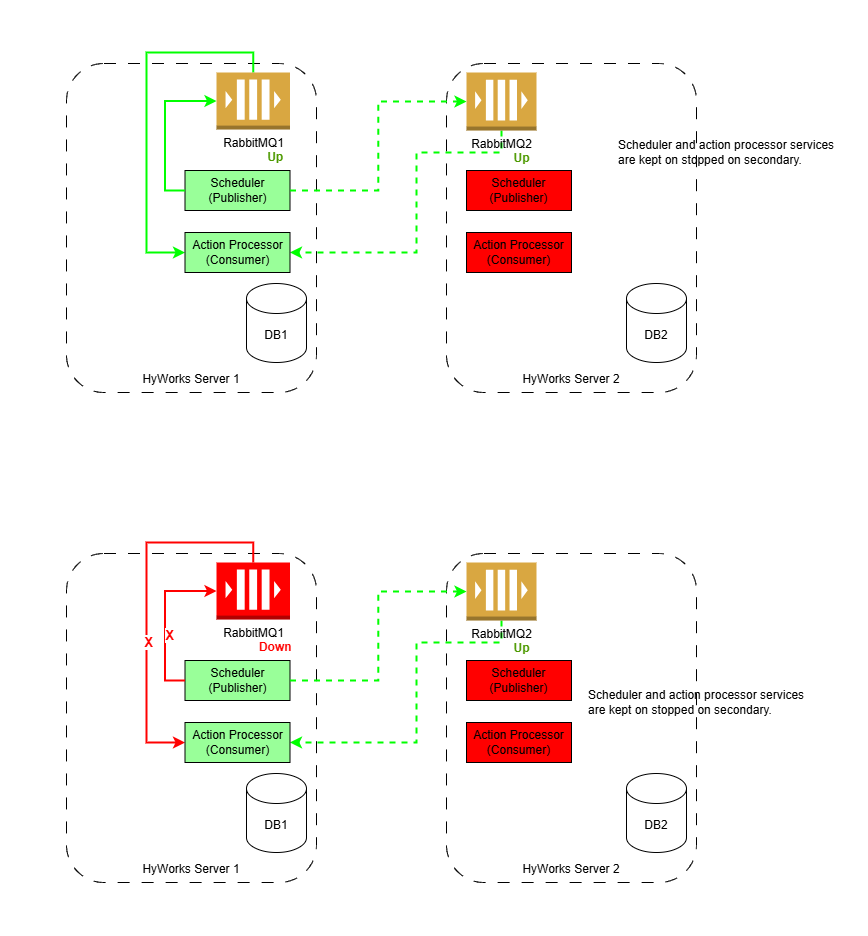
Without an External Load Balancer: Considering an example where two HyWorks Management Nodes with two RabbitMQ servers are set up without a load balancer configured for RabbitMQ. High availability can be achieved as explained below:
-
Assuming both of the HyWorks Controller Management nodes are installed with prerequisites for the Scheduler and Action Processor.
-
Configure Action Processor to consume from both of the RabbitMQ servers.
- During the installation of Action Processor, provide the host addresses for both RabbitMQ servers.
-
Configure the Scheduler to publish on any of the RabbitMQ servers.
- During the Scheduler installation, provide the host addresses for both RabbitMQ servers.
-
Consider HyWorks Controller# 1 is serving as the primary management node and has active Scheduler and Action Processor services.
-
With both message queues up and running:
-
The Scheduler, acting as a publisher, is configured with both RabbitMQ servers and can send messages to any of the queues.
-
The action processor listens to both message queues and processes messages from both.
-
-
With one message queue is down:
-
The Scheduler service will not communicate with RabbitMQ if it is down and will use the working one instead.
-
The Action Processor, listening to both message queues, will pick up data from the working one.
-
-
-
And this is how the Scheduler and Action Processor work with any active message queues: the Scheduler handles failover conditions for publishing, and the Action Processor picks from both queues.
-
-
With an External Load Balancer: With an external load balancer configured for RabbitMQ:
-
Assuming both of the HyWorks Controller Management nodes are installed with prerequisites for the Scheduler and Action Processor.
-
Configure Action Processor to consume from both of the RabbitMQ servers.
- During the installation of Action Processor, provide the host addresses for both RabbitMQ servers.
-
Configure the Scheduler to publish on any of the RabbitMQ servers.
- During Scheduler installation, provide the host addresses of the load balancer configured for the RabbitMQ servers.
-
Consider HyWorks Controller# 1 is serving as the primary management node and has active Scheduler and Action Processor services.
-
With both message queues up and running:
-
The Scheduler, acting as a publisher, is configured with a load-balancer virtual IP and can send a message to any of the queues.
-
The action processor listens to both message queues and processes messages from both.
-
-
With one message queue down:
-
The scheduler will send the messages to the load balancer's virtual IP address, and the load balancer should forward them only to a healthy RabbitMQ server.
-
The Action Processor, listening to both message queues, will pick up data from the working one.
-
-
-
This is how Scheduler works with the load balancer (handling failover conditions), and Action Processor picks from any one or both running queues.
-