USB Control – Block / Allow
The Workspace Mac client supports blocking USB device detection if this feature is enabled and configured on the Gateway. This setting is managed through the client profile configuration, allowing administrators to control USB access for enhanced security and compliance.
Configuration for USB Devices Block
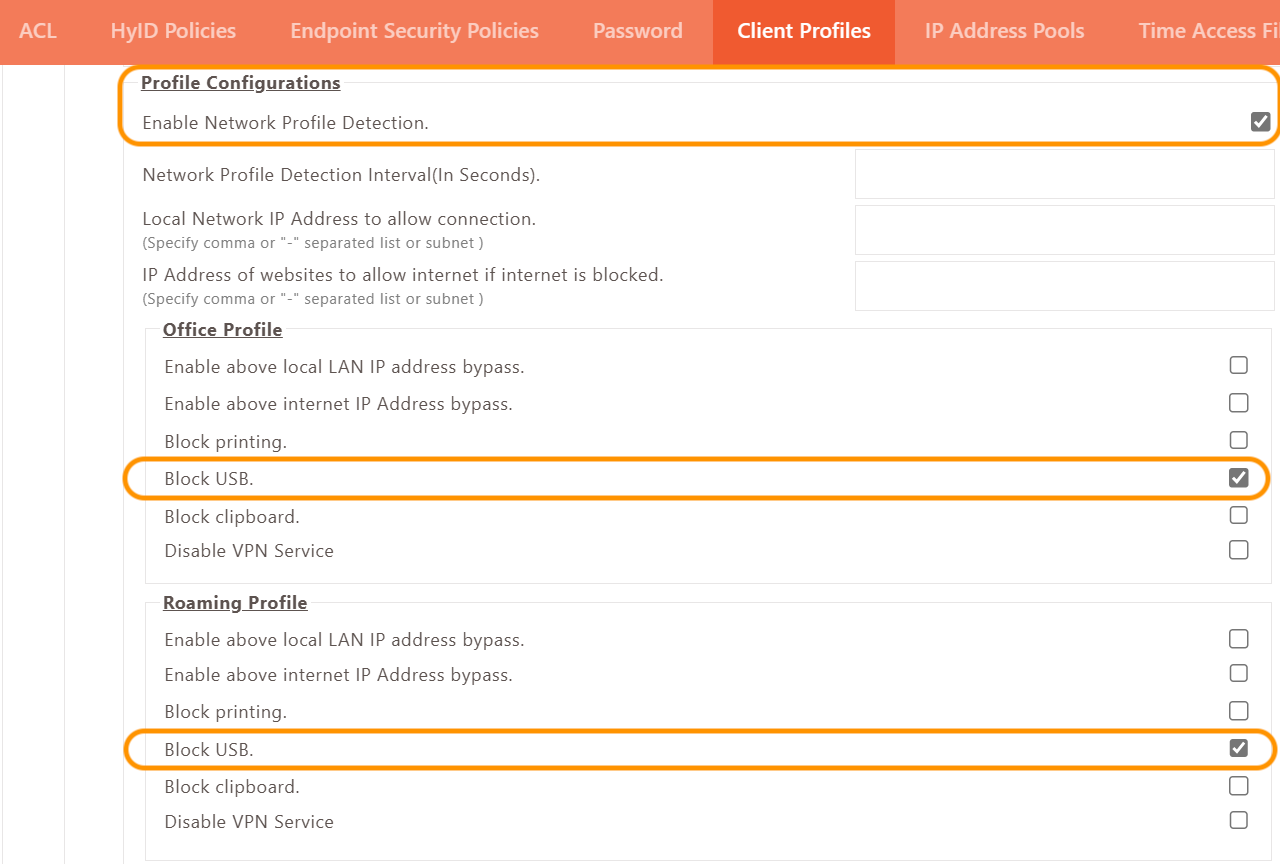
To configure USB Block, enable Block USB in the profile configurations of the client profile.
Follow these steps:
-
Navigate to Policies > Client Profiles.
-
Select the Default configuration profile and click on Modify.
-
In the profile settings, enable the Block USB option as shown in the screenshot below.
-
Once this configuration is applied, users logging into the client will be prevented from accessing USB devices such as pen drives, external hard drives, and other USB peripherals.