Logstash Configuration
Configuring Logstash to send logs to the Syslog Server (Optional)
In addition to sending logs to the OpenSearch database, we can also configure Logstash to simultaneously send the logs to another Syslog server of your choice.
The steps for modifying the configuration are outlined below:
- Edit the Logstash configuration file for HyWorks present at the following location:
/etc/logstash/conf.d/logstash-hyworks.conf
- Edit the Logstash configuration file for HySecure present at the following location:
/etc/logstash/conf.d/logstash-hysecure.conf
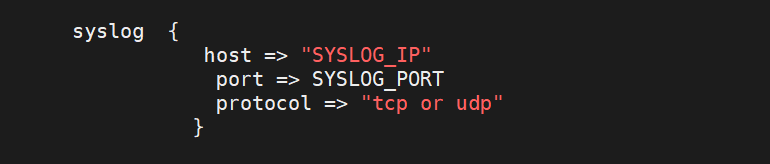
- Navigate to the end of the file within the output section. Modify this section as follows:
syslog  {
         host => \"IP Address of your Syslog Server\"
         port => Port Number
         protocol =\> \"tcp OR udp\"
         }
-
Save the file and exit. Logstash will automatically reload and use the new configuration file.
-
Verify if logs are being sent to the Syslog server using the netstat command on the selected port number.