Logs
Curator
OpenSearch offers a tool named Curator, which allows you to perform Index Management tasks, including deleting indexes that are older than a specified number of days. These rules can be configured, and a curator can be set up to run daily to check for predefined conditions and delete indices that match the criteria via a cron job.
This is preinstalled and configured on the image with instructions to delete the following indices:
-
Metricbeat - 7 days
-
HySecure - 30 days
-
HyWorks - 30 days
-
DVM Logs - 30 days
-
TotalSessionTime: 30
-
Impossible Travel: 30
Note
These values are set by default and can be changed at the time of installation.
During installation, if you haven't configured Curator and want to change the settings manually, update them as follows:
-
Open file autodelete_indices.yml
/root/curator/autodelete_indices.yml
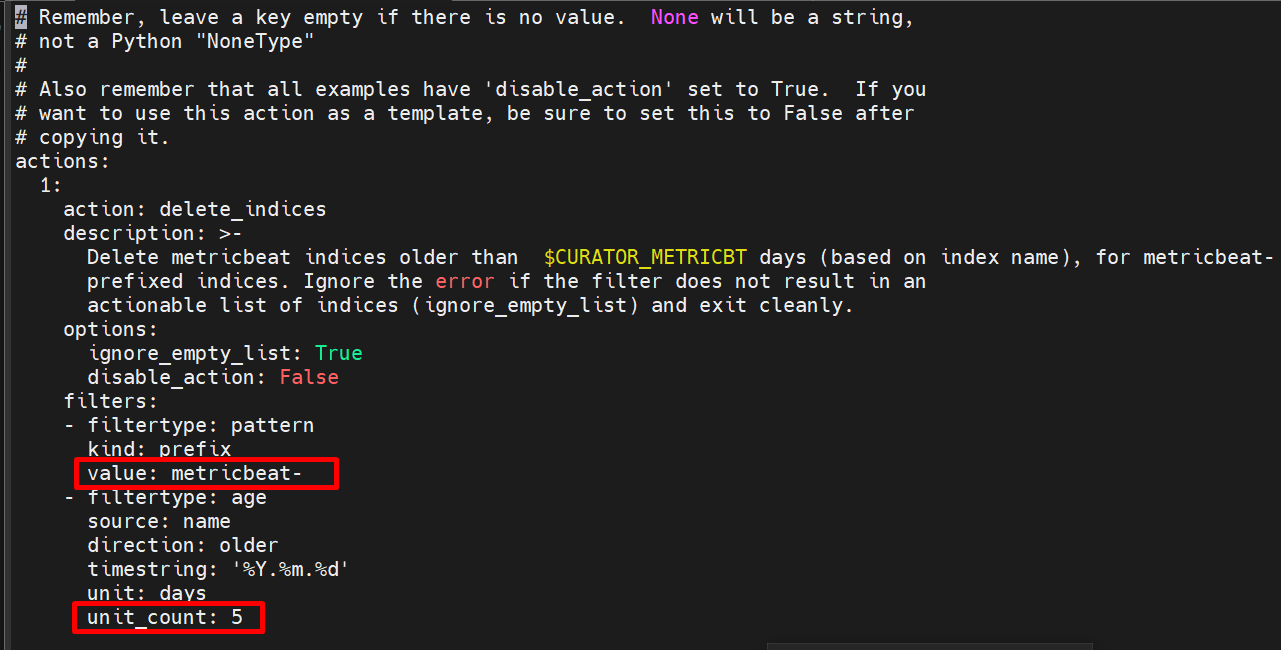
In autodelete_indices.yml file there are 7 indices. You can change unit_count (in days) as per requirement.
Eg. unit_count : 10 then logs (data) will be deleted before 10 days (only last 10 days data we have before today itself).
-
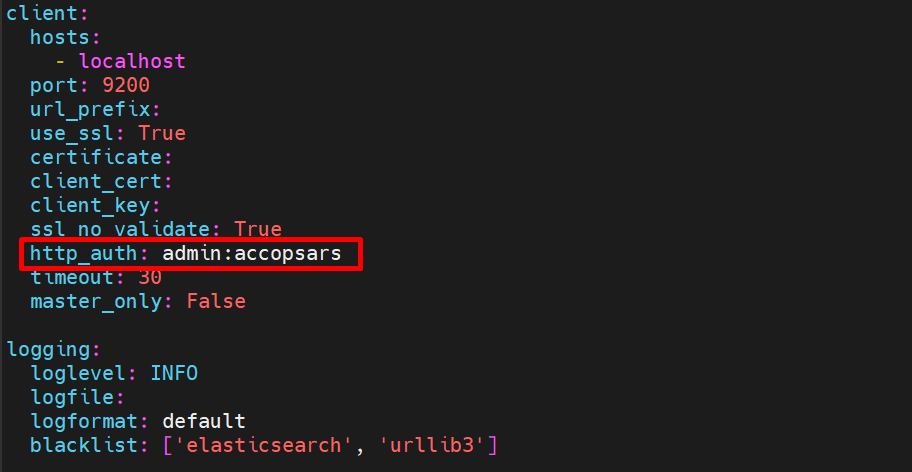
Open config.yml
/root/curator/config.yml
-
Change password this is by default configuration in config.yml file)
-
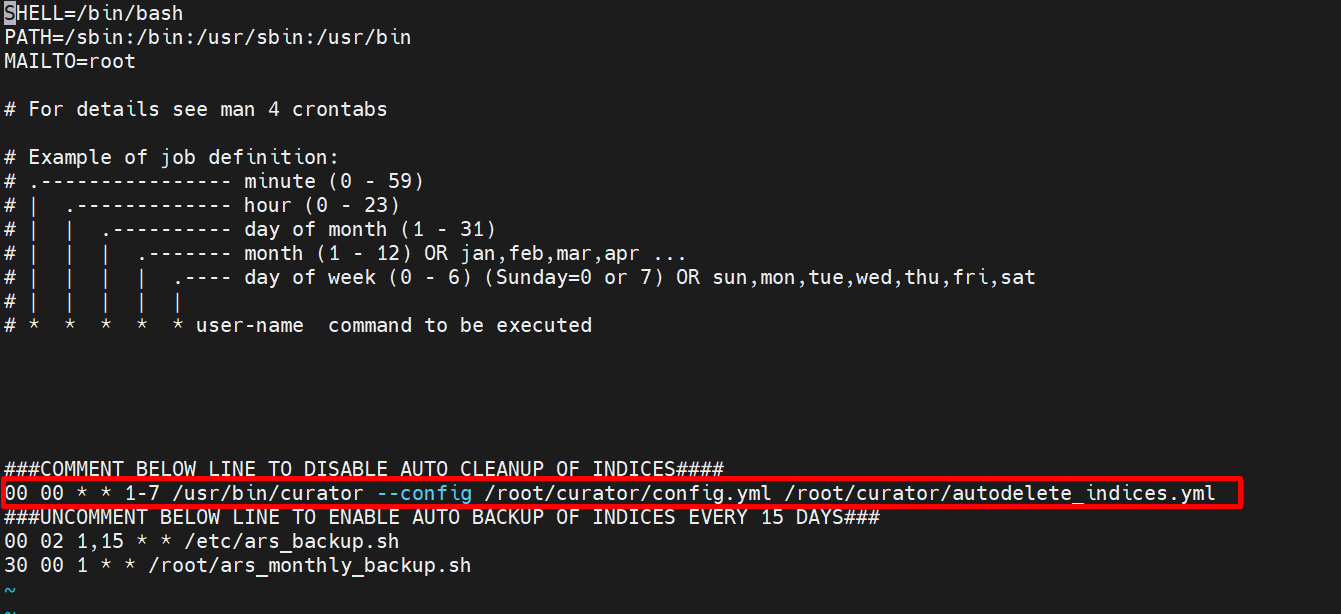
To set cronjob open crontab file and add cron.
/etc/crontab
Here cron is set for everyday night at 12 AM.
It is also possible to manually identify and delete per-day indices that are generated in the format INDEX_NAME-YYYY.MM.DD. Deleting the index for a given day will remove all data about that index for that day.
Log in to the ARS server and use the following command to obtain the list of day-wise indices residing on the system:
curl -XGET -u admin:accopsars 'https://localhost:9200/_cat/indices' - -insecure
The data obtained from the above command contains the following columns:
-
Index Health (Red, Yellow, Green)
-
Index Status
-
Unique Index Name
-
UUID
-
Primaries
-
Replica Count
-
Document Count (Number of log entries stored in the index)
-
Documents Deleted
-
Storage Size (Total size occupied by the index)
-
Primary Storage Size
Output from the command is as shown below:

Assuming we want to delete the unique HyWorks index for the date 22 October 2024, we will identify the unique name of this index as shown to be hyworks-2024.10.22
Command to delete a particular index:
curl -XDELETE -u admin:accopsars "https://localhost:9200/hyworks-2024.10.22" -k
Receipt of an {"acknowledged": true} message is confirmation that the index has been deleted.
To delete hysecure, metricbeat, or other indices, replace the name of the index accordingly.
Note
This command will permanently delete all data for the specified index, and the action will be irreversible. Please exercise extreme caution when executing this command. It is recommended to take a back up of the existing index data in case of data recovery.