New Features in Accops Workspace Linux Client version 7.2.1.1008
VDI Lockout Support
This release introduces re-authentication enforcement for Virtual Desktop Infrastructure (VDI) sessions that become locked or idle, or when the endpoint operating system is locked. This feature strengthens session security by requiring users to verify their identity before regaining access to an existing VDI session.
Key Benefits
-
Protects active VDI sessions from unauthorized access.
-
Requires user re-authentication after lock events.
-
Improves compliance with organizational security policies.
-
Delivers consistent security behavior across VDI and endpoint environments
Re-Authentication Functional Behavior
The Workspace Client automatically enters the Locked state when any of the following events occur:
-
VDI Session Lock: The virtual desktop session is locked through the Cmdex virtual channel.
-
Endpoint Operating System Lock: The client detects that the local endpoint operating system has been locked.
-
Idle Timeout: User inactivity exceeds the administrator-configured idle timeout threshold.
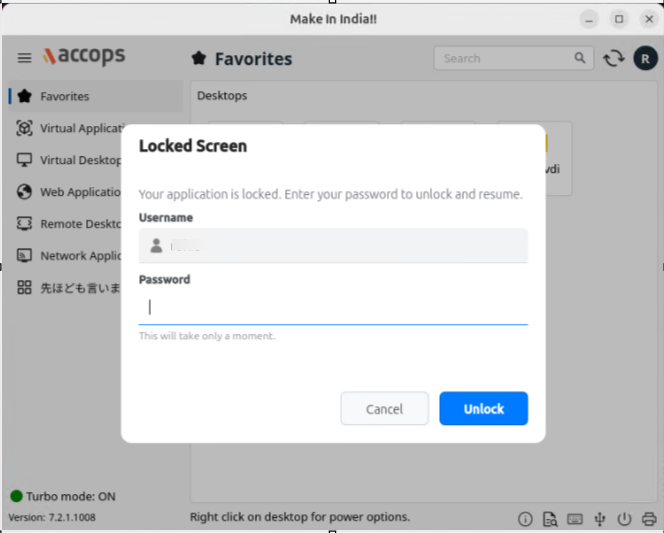
When the Workspace Client launches while in the Locked state, users are prompted to re-authenticate with their password before resuming their session.
Retry and Logout Policy
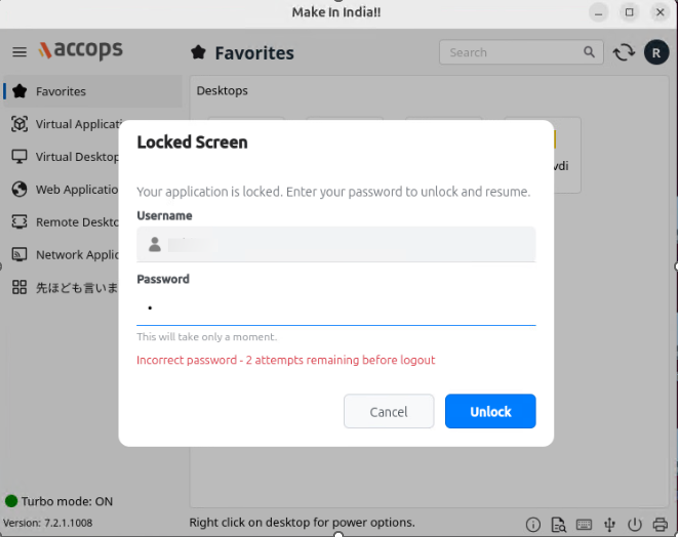
-
An error message is displayed after each incorrect password attempt, indicating how many attempts remain.
-
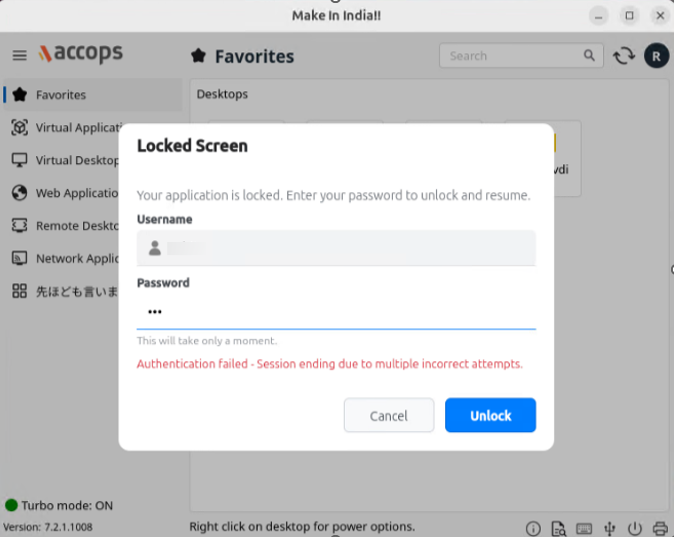
After three consecutive failed authentication attempts, the Workspace Client automatically logs out of the session.
HySecure Gateway Configuration:
Configure the following parameters in globalclientsetting.js on the HySecure Gateway:
| Tag | Description |
|---|---|
ASK_REAUTH_ON_LOCK_OR_IDLETIME = true |
Enables re-authentication when a session is locked or becomes idle. Recommended for environments handling sensitive data or shared workstations. |
REAUTH_IDLETIME_INTERVAL = <seconds> |
Specifies the idle timeout (in seconds) before re-authentication is required. Recommended values: • 300 – High security • 900 – Standard security • 1800 – Low user disruption. |
| Maximum Retry Attempts | Default value: 3. Defines the maximum number of consecutive failed authentication attempts before automatic logout. |
Virtual Channel Enhancement
This release introduces local traffic (request) redirection from the VDI session to the endpoint, enabling support for locally connected biometric devices and digital token devices.
Configuration
Update the /etc/accops/dvm/agentconfig.json file with the following configuration in the VDI:
EnableRequestRedirection: true, RequestRedirectionInfo:
[ "127.0.0.1:8030", "127.0.0.1:8031", "127.0.0.1:8004", "127.0.0.1:8005" ]
-
Set
EnableRequestRedirectionto true. -
Update
RequestRedirectionInfowith the localhost services that should be redirected. -
Restart the DVM Agent service.
On the Linux Client
Copy the file libreqrdrn-client.so from the location \172.25.0.11\public\Chetan\LinuxReqRdr to `/opt/freerdp2/lib/freerdp2/](file://172.25.0.11/public/Chetan/LinuxReqRdr to /opt/freerdp2/lib/freerdp2/
Add the following command line parameter to the connection profile: /vc:reqrdrn