Internet Block
To implement internet blocking, an Access Control List (ACL) can be configured for users logging in from a Mac endpoint. As a result, once the user logs in, they will be unable to access the internet unless connected to the Gateway.
A list of local and/or internet IP addresses or subnets can be specified to bypass the Block Internet policy.
Internet Block Configuration
Steps to create an Internet block ACL
-
Log in to the Management Console
-
Navigate to Policies > ACL.
-
Create an Endpoint Protection Access Control Type ACL for users with Internet block.

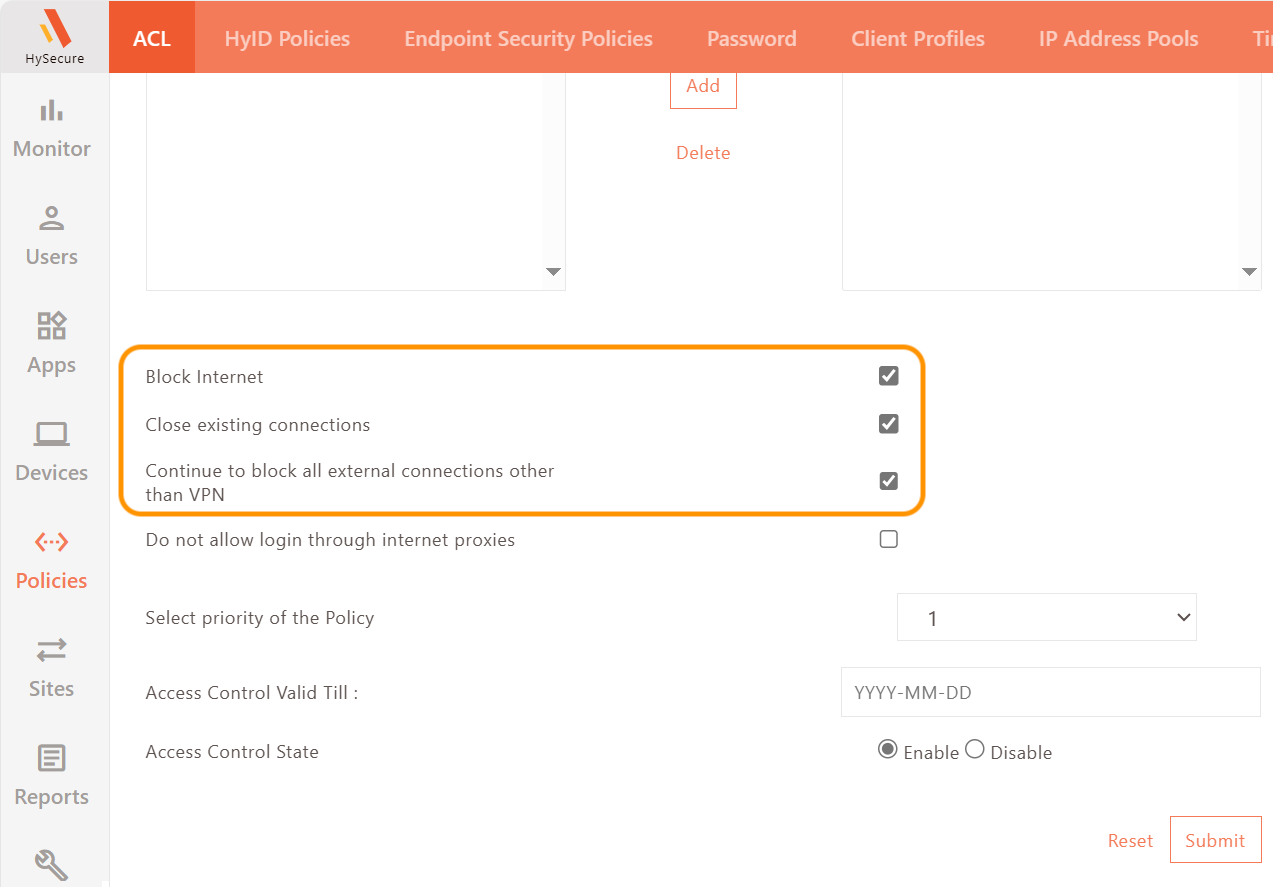
-
Upon creating an ACL (Access Control List) for blocking internet access, any user added to this list will not be able to access the internet upon logging into the client.
-
To allow internet access for specific exception websites, the administrator needs to add the corresponding IP addresses or hostnames to a bypass list.
-
Steps to add Internet bypass list in the Client Profile:
-
Navigate to Policies > Client Profiles.
-
Select the Default configuration and click Modify.
-
Navigate to Profile Configurations, enable the bypass list, and enter the hostnames and IP addresses.
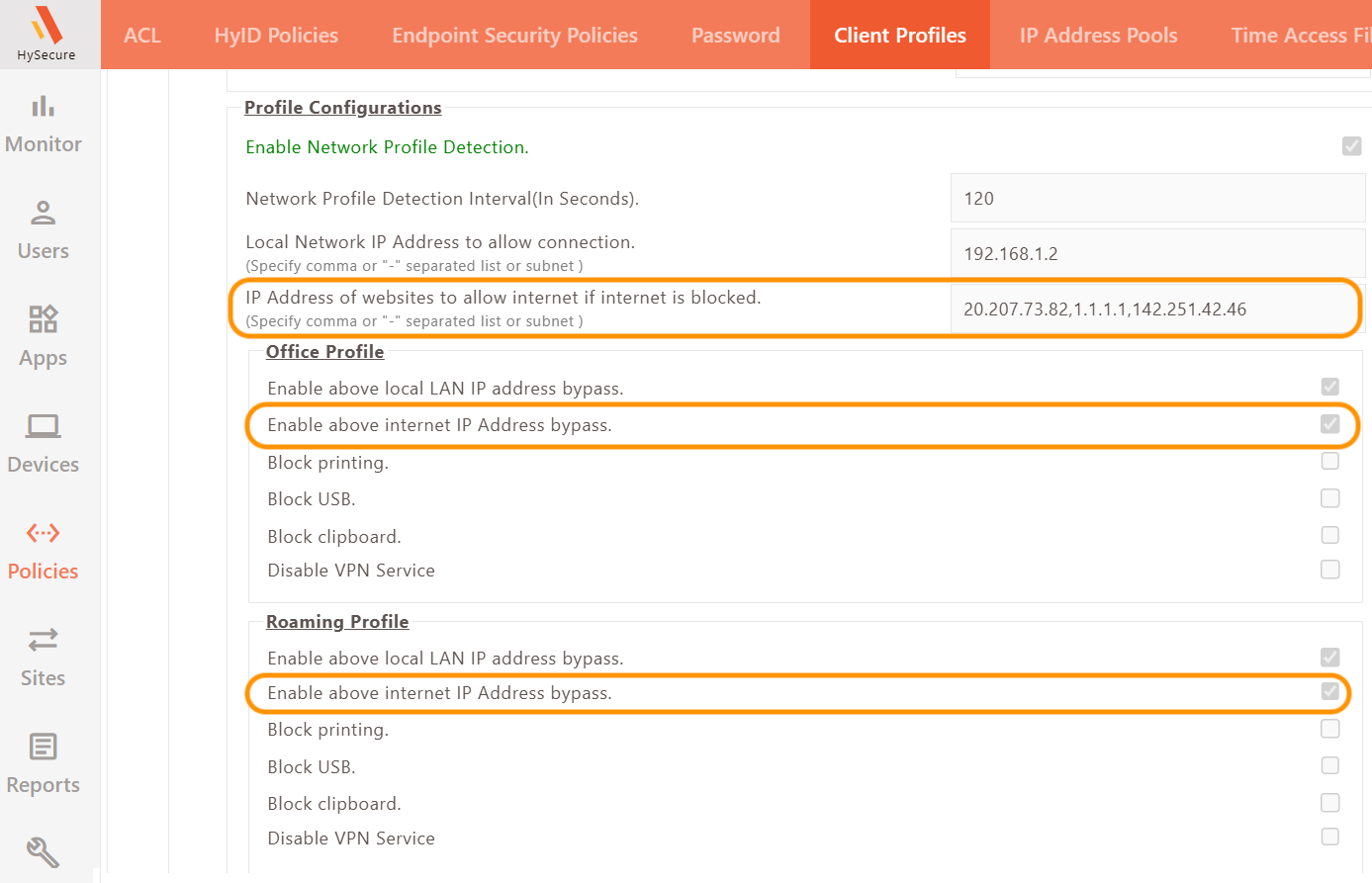
-
-
Following these steps will ensure that only specified websites can be accessed while all other internet access remains blocked.