Smartcard
Overview
Redirection of digital signature based on smartcard-like ePass2003 Token, Longmai's mToken CryptoID, etc., in a remote session of DVM from Ubuntu OS.
Configuration
The following changes are required on the controller’s Connection Profile to enable digital signature redirection using a smartcard:
-
Log in to the HyWorks controller management console.
-
Navigate to Connection Profile > Local Resources.
-
Enable the Smartcard option.
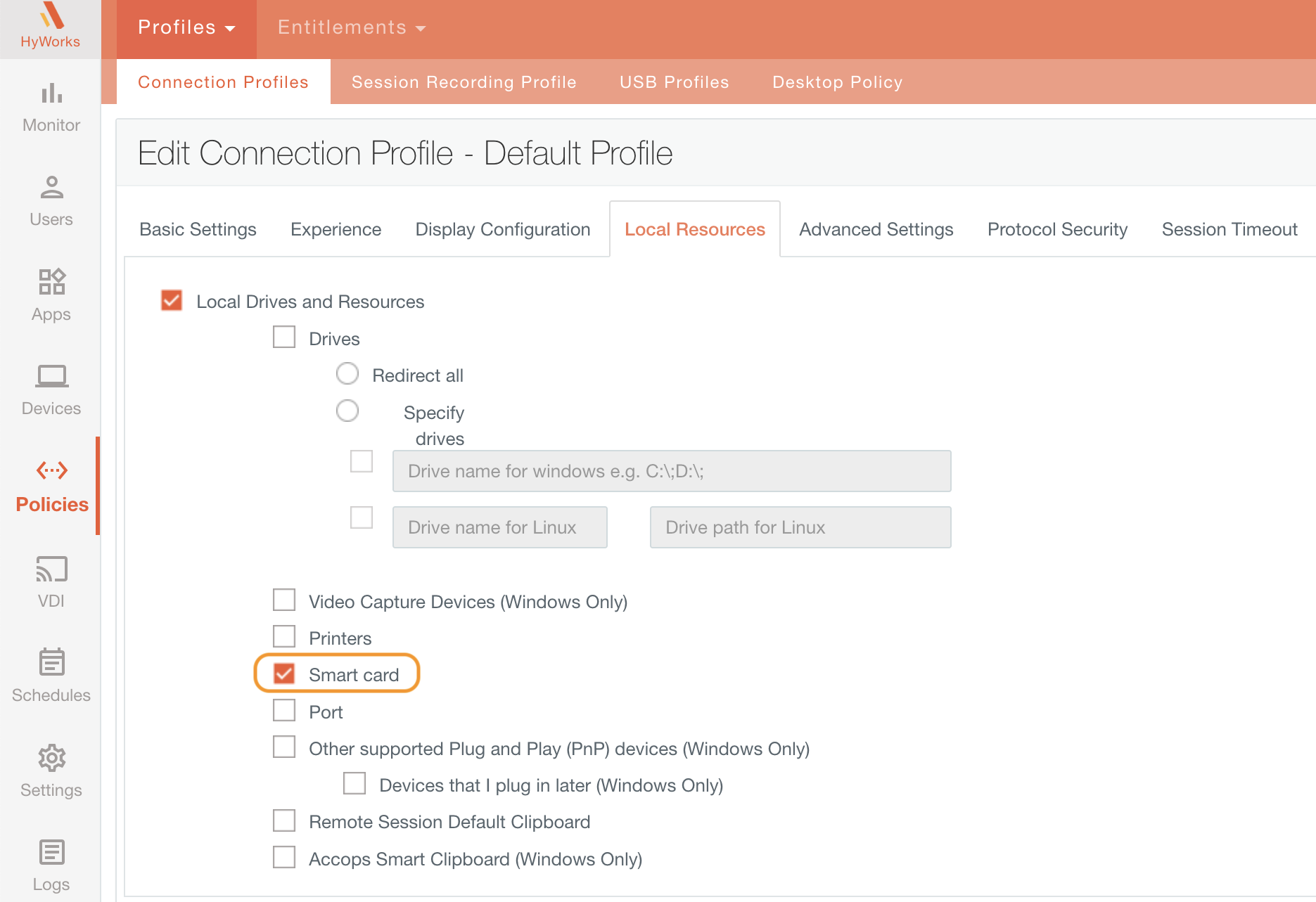
Smartcard redirection
-
Launch the HyWorks client and log in with user credentials.
-
Launch VDI/SHD.
-
Install the Smartcard Token drivers (e.g., we will take the ePass2003 Token Driver).
-
Open the ePass Token Application.
-
All the information related to the digital signature of the smart card will be displayed in the application.
Important
-
Before logging into the client, ensure that the smartcard is not being redirected through USB Redirection.
-
Do not enable USB redirection for the ePass Token (Smartcard); it must remain unchecked in the USB Devices list.
Note
-
Digital Signature-based Smartcard do not get redirected through USB Redirection with built-in and SEP Driver.
-
USB device (smartcard) will not get redirected through Eltima and SEP.
Troubleshooting Smartcard Redirection
-
Verify the Connection Profile
-
Ensure that smart card redirection is enabled under Local Resources.
-
Confirm that USB redirection is disabled, or make sure the digital token device is not being redirected through USB.
-
Check that no policy enforcing USB redirection is applied to the connection profile.
-
-
Inspect the VDI/SHD Connection File
- Verify that the redirectsmartcards:i:1 parameter is present in the connection file.
-
Driver Installation
- Ensure the ePass2003 Token driver is installed both on the local machine and within the VDI or SHD environment.
-
Review Group Policy on VDI/SHD
-
Open the Local Group Policy Editor (gpedit.msc).
-
Navigate to Computer Configuration > Administrative Templates > Windows Components > Remote Desktop Services > Remote Desktop Session Host > Device and Resource Redirection.
-
Ensure the policy for smart card redirection (e.g., Do not allow smart card device redirection) is set to Not Configured by default.
-
-
Check Smart Card Services
- Confirm that the smart card service is running on both the VDI/SHD and the local machine.