Upload Files to CMS
Overview
The CMS server stores all software packages, registry entries, and configuration files that are to be deployed to enrolled devices. Files must be uploaded to the server before they can be added to a group runbook.
Supported file types:
- Software installers —
.exe,.msi - Registry files —
.reg - Configuration files —
.json,.ini
Step 1 — Log in to the CMS Admin Console
Navigate to the CMS Admin Console URL and log in using administrator credentials.
Step 2 — Navigate to the upload location
Go to Management > Files > Upload.
Select the file type that matches the file to be uploaded, then click Upload.
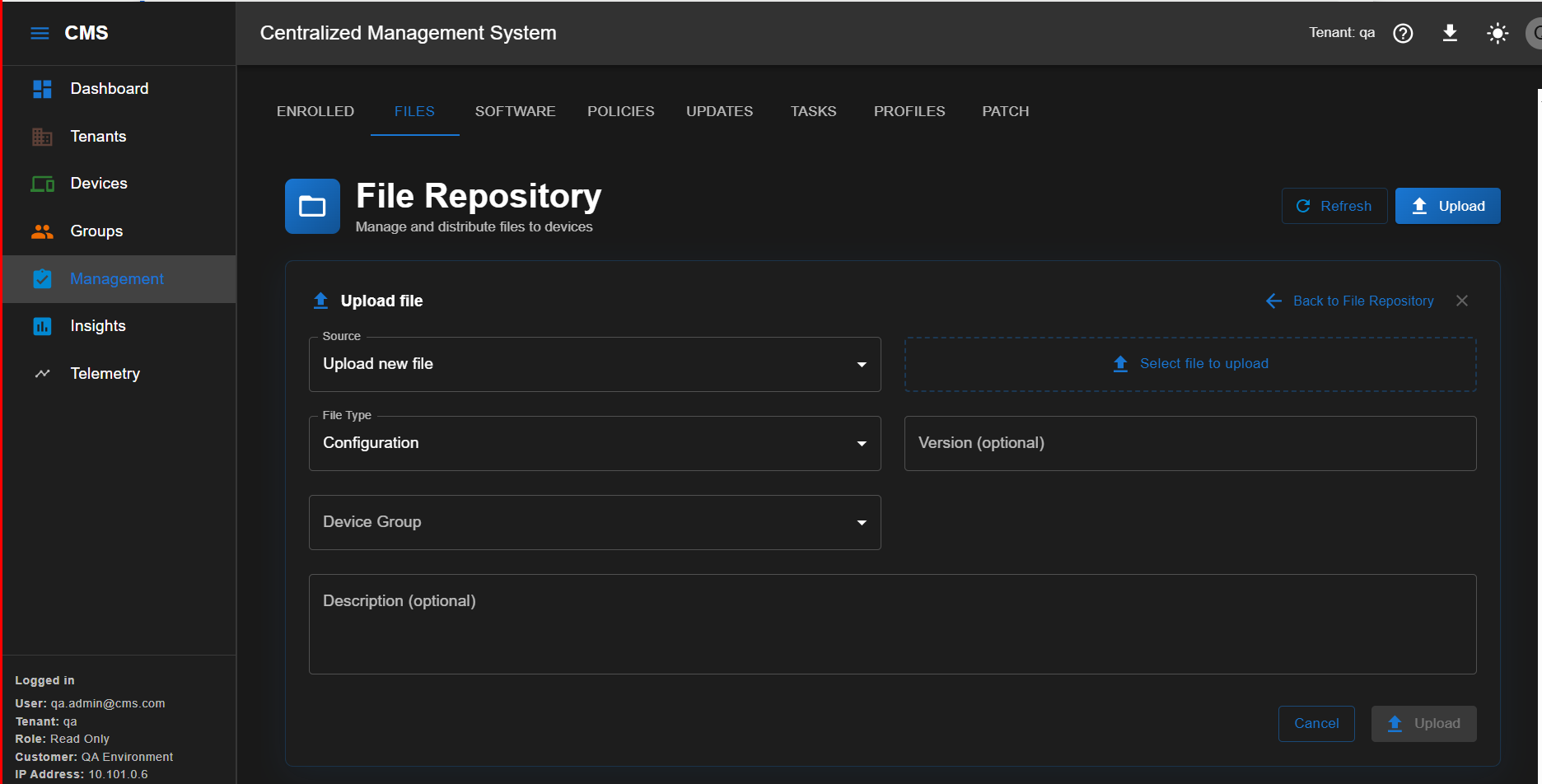
Step 3 — Confirm the upload
Once the upload is complete, the file appears in the Files tab.
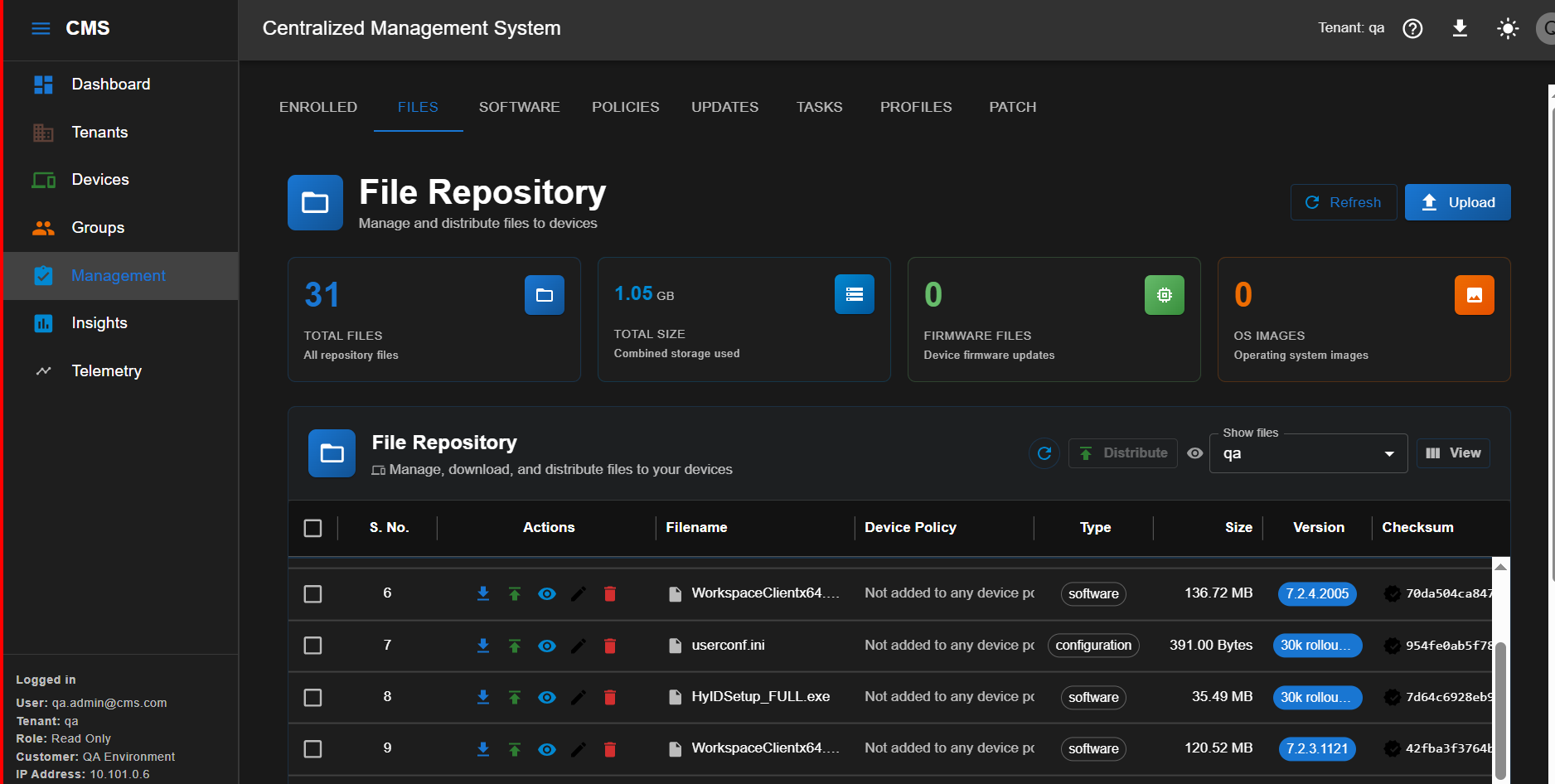
Upload confirmed
The file is now available on the CMS server and can be added to a group runbook.