Configure the Runbook
Overview
The runbook defines which files are deployed to a group and in what order. Each group has its own runbook. Files added to the runbook are automatically pushed to any device assigned to that group.
Step 1 — Navigate to the Runbook
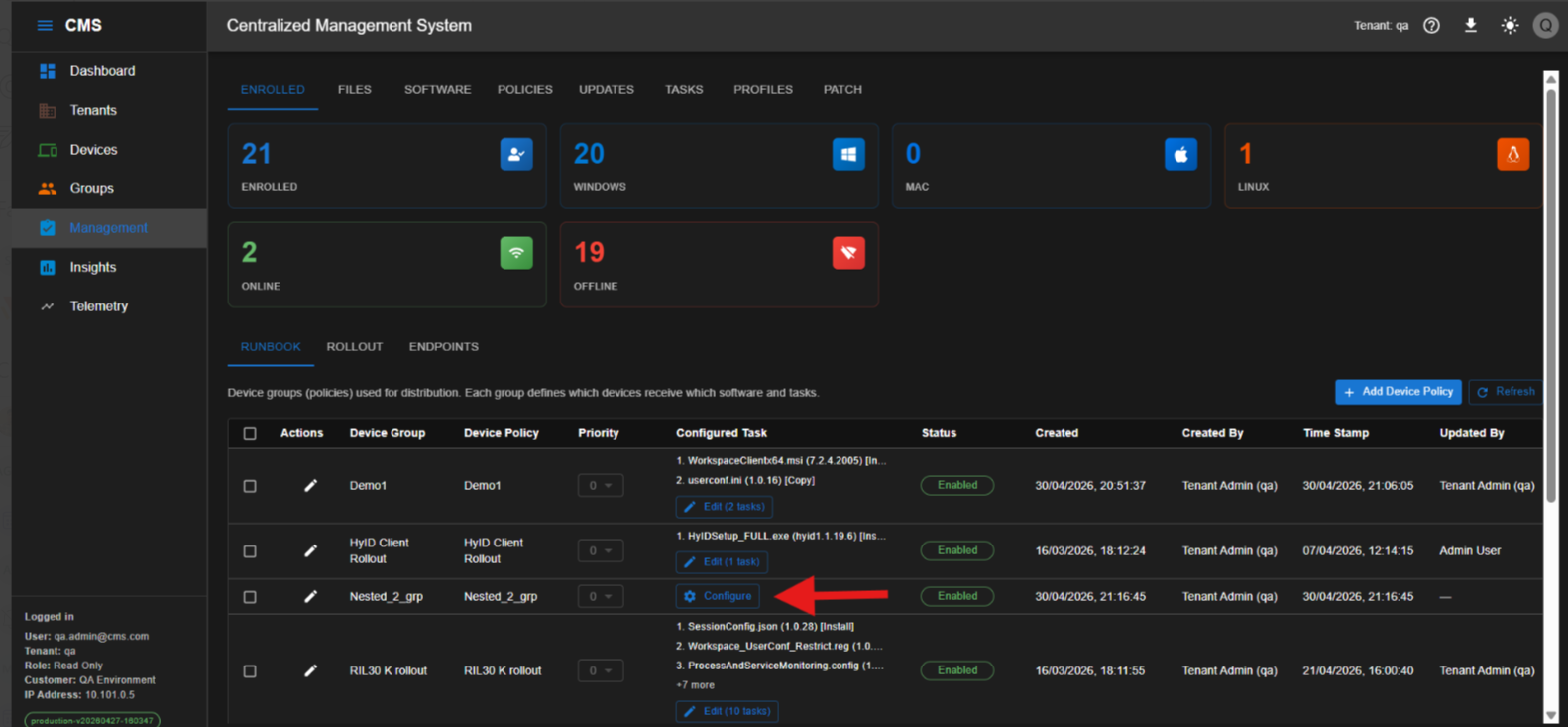
Go to Management > Enrolled > Runbook.
Locate the group created in the previous step and click Configure.
Step 2 — Add files to the runbook
Select the file type from the dropdown, then select the required file and its version. Click Add to include it in the runbook.
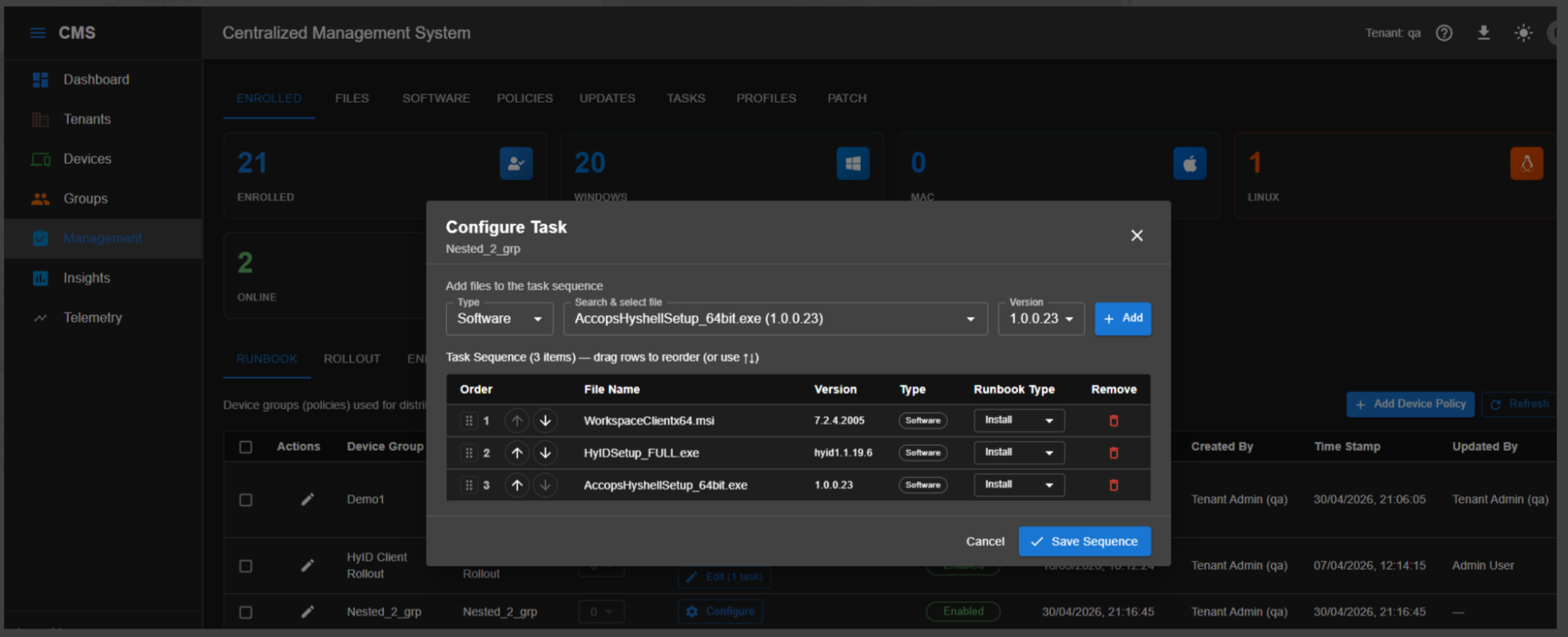
Repeat this step to add all required software packages, registry entries, and configuration files.
Step 3 — Set the installation sequence
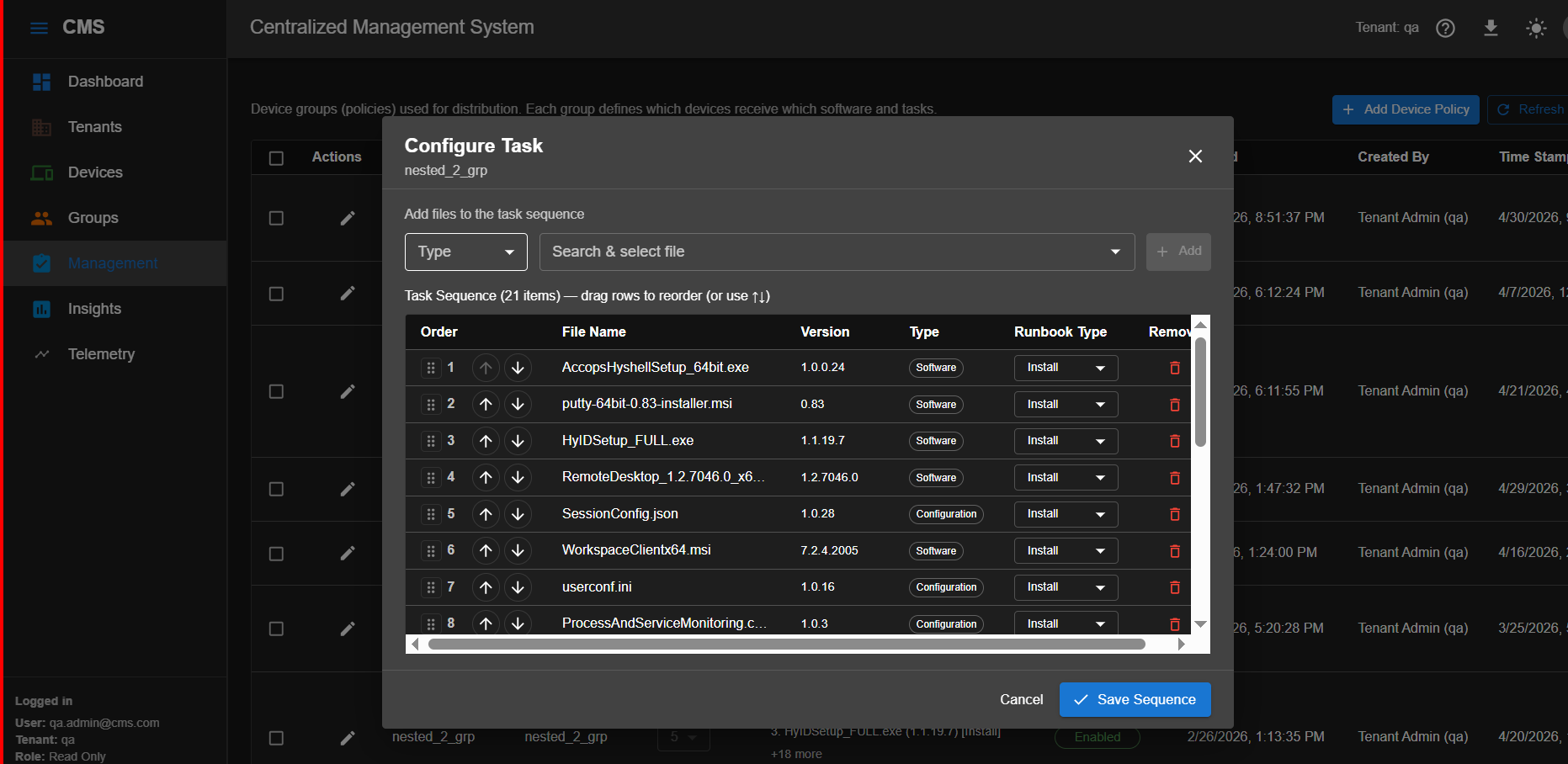
Arrange the files in the order in which they must be installed. Drag entries to reorder, or use the sequence controls provided.
Step 4 — Save the sequence
Click Save Sequence to apply the runbook configuration.
Runbook configured
The group runbook is now active. Any device subsequently assigned to this group will receive the configured files in the defined sequence.
Sequence order matters
If a software package has a prerequisite (for example, a runtime or framework), ensure the prerequisite is placed earlier in the sequence. Deploying in the wrong order may cause installation failures on the end-user system.