Create a Group
Overview
Device groups are the organisational unit used by CMS to control which software is deployed to which devices. A device assigned to a group automatically receives all files configured in that group's runbook.
Step 1 — Open the Create Group dialog
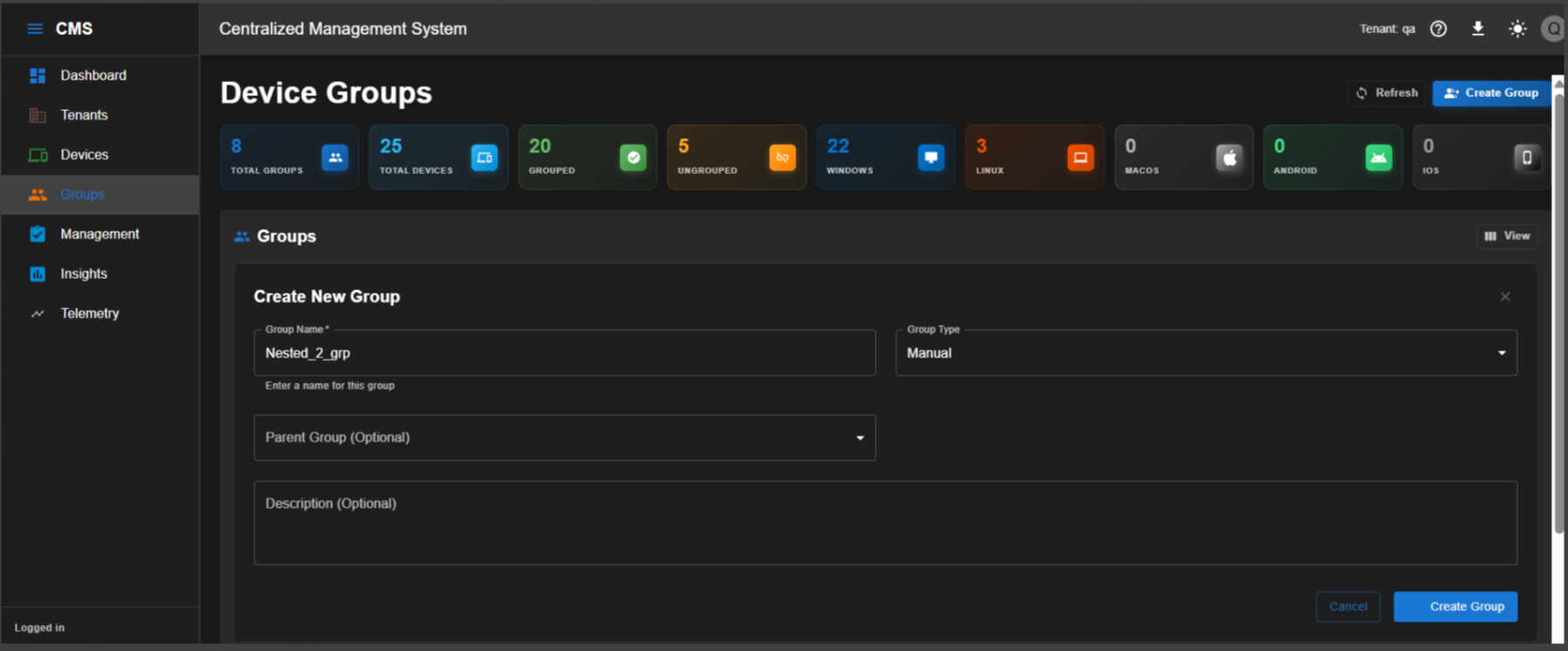
Go to Groups > Create Group.
Enter the required group details in the dialog.
Step 2 — Save the group
Click Create Group to save the group.
Group created
The group is now available in the Groups list and can be referenced when assigning devices and configuring the runbook.
Group naming
Use a naming convention that reflects the device category or deployment scope — for example, KIOSK-FLOOR1 or THIN-CLIENT-ACCOUNTS. This makes group assignment and troubleshooting significantly easier at scale.