MFA Apps
Overview
Access Control for MFA-Integrated Applications
Accops HySecure supports and enhances the security of MFA-integrated applications by introducing ACL evaluation during application access. Previously, applications integrated via LDAP Integration Services (LIS) would bypass Application-specific ACL checks, and MFA decisions were not enforced; instead, they were determined solely based on the user. Administrators can now enforce MFA on a per-application basis, ensuring that access decisions and MFA prompts are tied to specific apps.
View MFA Application list
- Log on to the Management console.
- Navigate to Apps > MFA Apps.
- The page lists all the MFA applications along with their details in a tabular manner:
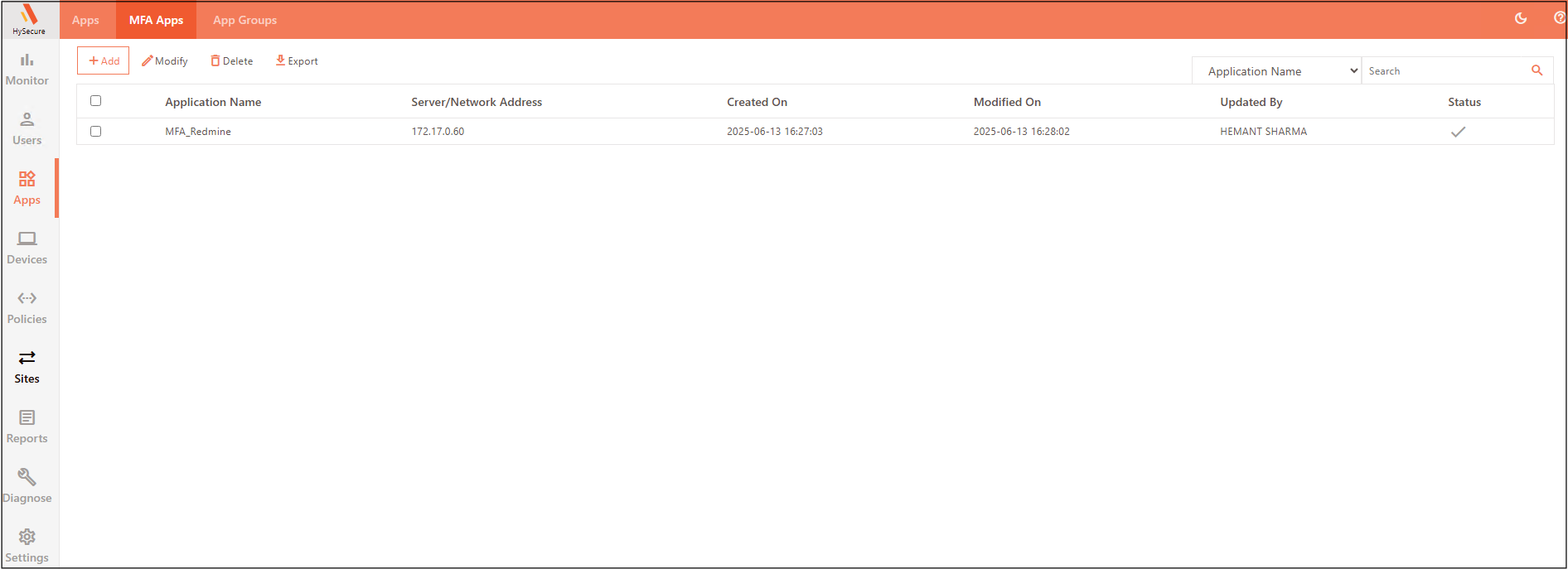
| Field | Description |
|---|---|
| Application Name | Displays the given MFA application name. |
| Server/Network Address | Displays the application Server's Hostname or IP Address. |
| Created On | Displays the date and time when the MFA application was created. |
| Modified On | Displays the date and time when the MFA application was modified. |
| Updated By | Displays the name of the SO user who modified the MFA application. |
| Status | Indicates whether the MFA app is enabled or disabled. |
Add Applications
{!./common_pages/apps/add_mfa_app.md!}
Modify Applications
- Log on to the Management console.
- Navigate to Apps > MFA Apps.
- Select the check box against the MFA application to edit and click Modify.
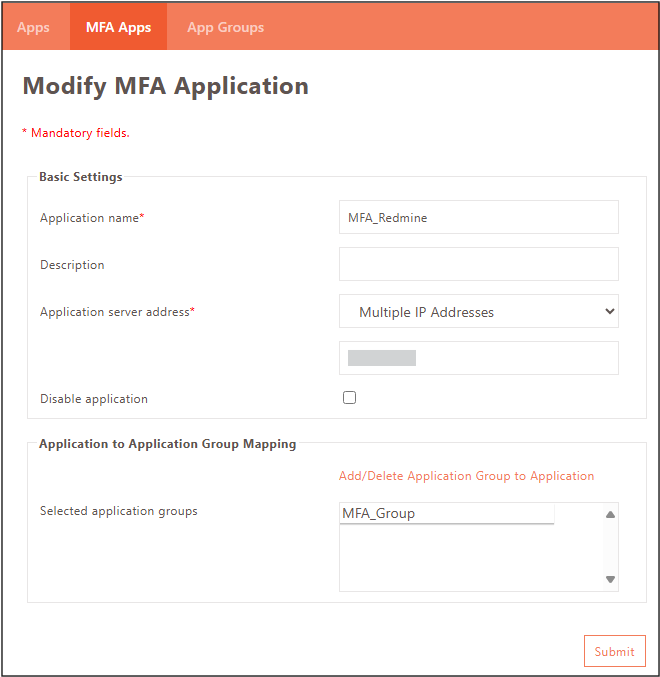
- The Modify MFA Application screen appears. Update the details as required.
- Modify Application Groups by clicking the Add/Delete Application Group to Application.
- Click Submit to save changes.
Delete Applications
- Log on to the Management console.
- Navigate to Apps > MFA Apps.
- Select the check box against the MFA applications you want to delete and click Delete.
- Click OK to confirm.